Tested Truth may earn a commission when you buy through links on this page, at no extra cost to you. This does not affect our ratings.
When knowledge workers and IT administrators need dependable software to open, annotate, and manage standard PDF files, the choice often comes down to two names. Both tools handle the essentials of digital paperwork, from reviewing contracts to completing forms and sharing files across teams. Our team at Tested Truth looks closely at how document tools fit real operational routines rather than just checking feature lists.
Deciding between these PDF options depends on whether your organization values a lean system footprint and simple markup tools, or needs close alignment with widespread enterprise publishing standards. Within the Collaboration & Productivity space, the right pick is the one that handles everyday reading, markup, and form work without slowing people down.
Quick verdict: Overall score: 8.2/10. The best choice depends on what your team prioritizes. Foxit suits agile teams that want responsive reading and practical annotation tools. Adobe Reader suits environments that require consistent document rendering across diverse enterprise systems. Teams with basic reading needs should test both against their internal IT policies before deciding.
| Metric | Details |
|---|---|
| Tested Truth score | 8.2/10 |
| Best for | Professionals and enterprise teams who need structured document viewing, form processing, and collaborative markup. |
| Not ideal for | Organizations looking for all-in-one graphic design software, or casual users who only preview documents in a web browser. |
| Key strengths | Document rendering, form interaction, markup annotations, and digital signature placement across standard business files. |
| What to check before buying | Review official plan details for commercial licensing, volume deployment rights, and whether advanced editing is included. |
1. How Tested Truth Reviewed Foxit Adobe Reader
This review examines what Foxit and Adobe Reader are built to do, who they serve, and how they compare with similar tools. We used seven Tested Truth criteria: features, ease of use, pricing and value, integrations, audience fit, support, and competitive position. Plans, prices, and limits change often, so we point out what to confirm on the official website before buying. This article was researched and drafted with the help of AI tools, then reviewed and edited by the Tested Truth Editorial Team.
2. Short Answer: Choosing Between Foxit and Adobe Reader
Evaluating a foxit adobe reader setup comes down to resource balance, administrative preferences, and how deeply your teams need to manipulate documents each day. Both applications work as standard solutions for opening, reading, and annotating PDF files, but they take different approaches to how they interact with your system.
Adobe Reader is the baseline standard developed by Adobe Inc., built around strict compliance with formal PDF specifications, extensive preflight profiles, and display fidelity. Foxit, developed by Foxit Software, presents itself as a nimble alternative focused on fast rendering, clean navigation, and accessible markup tools.
| Tool | Best for | Core strength | Consider if |
|---|---|---|---|
| Foxit | Teams that prioritize lightweight performance and responsive annotation | Quick document rendering and streamlined markup toolbars | Your workstations need responsive document review without heavy memory use |
| Adobe Reader | Organizations that need uniform rendering across standardized ecosystems | Strict specification adherence and enterprise viewing fidelity | Your workflows depend on complex form scripts and established publishing standards |
3. Core Document Features and Markup Capabilities
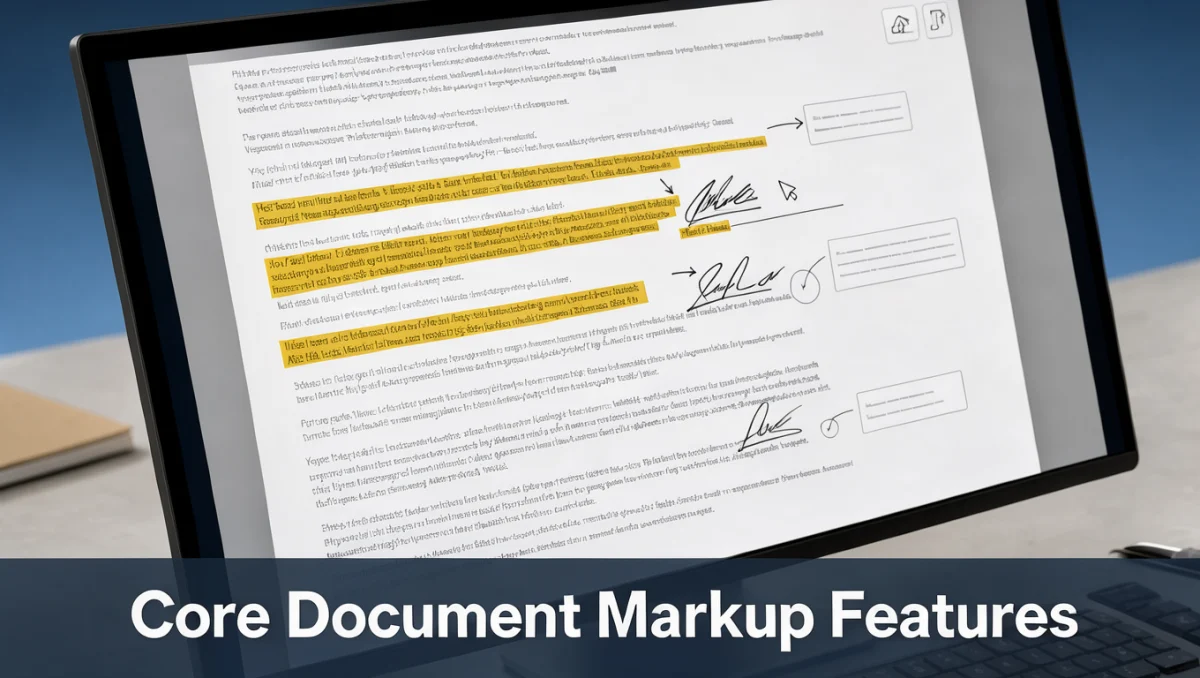
Document viewing software has to handle varied file structures, embedded media, vector illustrations, and interactive form fields without crashing or distorting content. Both Foxit and Adobe Reader provide the fundamentals, including single-page view, continuous scrolling, two-page spreads, and text search across long documentation.
Annotation is a core activity for knowledge professionals who review contracts, draft feedback, and mark structural revisions. Standard toolkits include text highlighting, strikethrough, underline, sticky notes, freehand drawing, and callout boxes. Teams handling contract sign-offs also rely on digital signature placement, timestamping, and form completion tools.
- Document navigation: Both tools offer thumbnail panels, bookmark hierarchies, and search indexes for moving through large technical manuals and multi-page agreements.
- Interactive form processing: Both support standard digital form fields, dropdown selections, radio buttons, and basic data validation for organizational paperwork.
- Review and commenting: Comment summaries, filtering by author, and status tracking let multiple reviewers coordinate feedback on draft documents.
If you need advanced capabilities such as optical character recognition, permanent redaction, or batch conversion, check the official vendor pages to confirm which editing tiers include them.
4. Ease of Use and Navigation Across Interfaces
Interface layout directly affects productivity, especially for office staff who open dozens of documents a day. Foxit uses a familiar ribbon-style toolbar that groups functions into tabs such as Home, Comment, View, and Form. Users comfortable with common office software tend to find this layout straightforward, which keeps onboarding short.
Adobe Reader organizes its interface around clean navigation panes and contextual sidebars. Tools can be reached from a primary toolbar or expanded through side panels that hold commenting feeds and document layers. New staff may need a short orientation to find secondary utilities buried in nested menus.
Responsiveness varies with file complexity and local hardware. Testing sample technical drawings or graphic-heavy reports on standard office machines will show real page loading speeds before you commit to a wide rollout.
5. Pricing Structure and Long-Term Licensing Value
PDF reader software generally follows tiered pricing, from free desktop readers for viewing and light commenting to subscription-based editor licenses for enterprise authoring. Subscriptions have become standard across productivity vendors, though some providers still offer perpetual licenses for corporate procurement.
Estimating total licensing cost means deciding how many people need basic viewing versus full authoring. Organizations often overspend by buying full editing licenses for staff who only read documents and add signature approvals.
| Evaluation factor | Why it matters | Recommended action |
|---|---|---|
| Reader vs. Editor tiers | Viewing and commenting are often free, while page editing requires paid licenses | Confirm role requirements to avoid buying more full editor seats than needed |
| Volume commercial licensing | Multi-seat deployments often require a commercial business agreement | Consult the official sales portal for organizational licensing requirements |
| Administrative management | Centralized user provisioning makes it easier to reassign seats when roles change | Check whether user management consoles are included with business subscriptions |
6. Ecosystem Integrations and Cloud Storage Alignment
Document workflows rarely operate in isolation. They connect to enterprise email, cloud storage, and content management systems. Modern teams need smooth access to files stored in shared departmental drives and collaborative cloud folders.
Both platforms connect to common enterprise storage solutions, so staff can open, revise, and save PDFs directly back to central repositories. IT managers should verify how each application fits their existing storage architecture before choosing one.
When handling regulated corporate records, review the vendor's security documentation carefully. Confirming that document synchronization follows your retention guidelines helps protect sensitive client information across distributed workforces.
7. Audience Fit for Solo Workers Versus Large Enterprises
Solo entrepreneurs and freelancers generally need review tools that launch quickly, take up little disk space, and let them sign client invoices fast. For these independent professionals, Foxit offers an accessible workspace with immediate access to markup pens, digital signatures, and highlighters.
Enterprises with thousands of endpoints face different constraints. IT directors need documents to render identically across varied hardware, fillable government forms to execute embedded scripts accurately, and mass updates to deploy smoothly through management tools. Adobe Reader remains deeply rooted in enterprise environments because of its predictable rendering across complex corporate templates.
- Freelancers and independent consultants: Benefit from responsive performance, clean commenting tools, and fast document signing.
- Small and medium businesses: Benefit from flexible licensing tiers, manageable IT overhead, and practical collaboration features for shared contracts.
- Corporate and legal enterprises: Require strict PDF standard compliance, rigorous form handling, and proven centralized deployment controls.
8. Support Channels and Organizational Deployment
Rolling out document software across an organization requires predictable technical help, thorough administrative documentation, and reliable deployment tools. IT departments depend on standardized installers, group policy templates, and silent install switches to manage software across fleets of machines.
Support typically scales with the licensing agreement. Basic desktop tools rely mostly on community knowledge bases, product forums, and online manuals. Enterprise subscriptions usually add direct ticketing, dedicated account management, and priority technical assistance.
Before selecting a tool for company-wide use, system administrators should visit the official vendor support portals to review deployment guides, command-line installation options, and administrative configuration settings.
9. Competitive Position in the PDF Software Category
The PDF software market includes dedicated readers, full editors, and browser-based utilities. Web browsers now include built-in PDF viewers capable of displaying basic invoices and articles, but dedicated desktop applications remain necessary for multi-page review, signature workflows, and structured form validation.
Foxit holds a strong position by offering responsive performance, practical collaboration toolbars, and cost-effective upgrade paths for growing organizations. Adobe Reader maintains its position through comprehensive standard compliance, broad enterprise recognition, and deep integration with established creative and administrative workflows.
Other alternatives in the wider productivity market include Nitro PDF, which focuses on streamlined business workflows, and various lightweight utilities that handle single tasks like merging files or filling basic forms.
10. How to Decide Between Foxit and Adobe Reader
Choosing between these two established PDF solutions requires evaluating your organization's technical baseline, budget, and user workflows. Follow this structured process to guide your team:
- Audit team document activities: Determine whether staff mainly view documents, add annotations, fill interactive forms, or assemble multi-page reports.
- Inspect hardware configurations: Check workstation specifications to see whether a lightweight application will improve responsiveness on older machines.
- Verify interactive form complexity: If your organization handles specialized tax, legal, or regulatory forms with advanced scripting, test them in both applications to confirm display accuracy.
- Review IT deployment requirements: Confirm whether your administrators need enterprise installers, centralized seat licensing, or specific configuration policies.
- Compare official pricing tiers: Visit the official vendor websites to review current business licensing packages, support agreements, and maintenance terms for 2026.
11. Frequently Asked Questions
What are the main functional differences between basic PDF readers and paid editors?
Basic PDF readers let users open, view, search, print, annotate, and digitally sign documents without a commercial license. Paid editors add direct text editing, page reordering, image replacement, redaction, and optical character recognition for scanned records. Organizations should match licenses to job duties and only buy editing seats for staff who actually change existing document layouts.
How should an organization assess system performance before choosing a PDF tool?
Test candidate software on your standard workstation setup using complex, real-world documents such as multi-page financial reports, vector architectural drawings, and interactive administrative forms. Observing launch times, scrolling responsiveness, and memory use during testing shows whether a lightweight tool like Foxit or a traditional platform like Adobe Reader suits your hardware.
Can a company deploy both Foxit and Adobe Reader across different departments?
Companies can deploy different PDF applications across departments based on operational needs. For example, an administrative team that needs fast contract markup might use one application, while a compliance team handling specialized regulatory documents uses another. Running multiple titles does add IT overhead, update scheduling, and onboarding work, so standardizing on one tool is still common.
What should administrators check regarding form compatibility?
Gather representative samples of every interactive form your organization uses, such as HR paperwork, purchase orders, and government filings. Open and submit these test forms in both applications to confirm that calculation scripts, required-field validations, and signature fields work correctly before rolling out a reader across the organization.
12. Final Verdict
| Criterion | Score /10 | Reason |
|---|---|---|
| Features | 8.5/10 | Both platforms provide complete viewing, standard markup, text search, and digital signing. |
| Ease of Use | 8.5/10 | Foxit offers a familiar ribbon toolbar, while Adobe Reader provides clean, uncluttered reading layouts. |
| Pricing and Value | 8.0/10 | Both offer practical entry points; buyers must verify commercial licensing requirements for enterprise tiers. |
| Integrations | 8.0/10 | Both connect with major corporate cloud storage and enterprise document repositories. |
| Audience Fit | 8.5/10 | Both serve solo professionals, growing businesses, and enterprise departments depending on workflow needs. |
| Support | 7.5/10 | Free reader versions rely on documentation; business tiers require checking vendor support terms directly. |
| Competitive Position | 8.5/10 | Both brands are dependable, long-established options in the broader PDF productivity software ecosystem. |
Overall score: 8.2/10
For agile teams, freelancers, and businesses that value fast navigation and lightweight system requirements, Foxit is an efficient and practical choice. For organizations deeply rooted in complex form validation, strict publishing standards, and widespread corporate environments, Adobe Reader offers dependable standard conformity. Evaluate your hardware, form scripting needs, and administrative requirements on the official vendor websites before finalizing your choice for 2026.
If you have questions about software evaluation or want to discuss enterprise productivity deployments, reach out to our team at https://testedtruth.com/contact/ or connect with Tested Truth on LinkedIn at https://www.linkedin.com/company/testedtruth/.