testedtruth may earn a commission when you buy through links on this page, at no extra cost to you. This does not affect our ratings.
Web threats keep getting more convincing, and many of them begin with a single click on a link that looks harmless. bitdefender trafficlight for firefox adds a protective layer inside the browser, checking links and domains before your pages finish loading. In this review, we look at how it works, who benefits most, and what to weigh before installing it.
Browser-level protection plays a different role from traditional desktop security. Desktop tools scan files already on your machine, while a browser extension inspects web traffic as it arrives, catching risky destinations earlier in the process. Our assessment focuses on how well the extension guards against threats while leaving everyday browsing smooth and uninterrupted.
Quick verdict: Bitdefender TrafficLight for Firefox earns a testedtruth score of 7.6/10. It suits people who want unobtrusive safety ratings right in their search results, but it falls short for administrators who need centralized compliance logging across large corporate networks.
| Metric | Summary Details |
|---|---|
| testedtruth score | 7.6/10 |
| Best for | Users who want browser warnings against phishing domains and fraudulent links during routine searches. |
| Not ideal for | Organizations that need enterprise dashboards with centralized endpoint policy enforcement. |
| Key strengths | Inline search result badges, active domain reputation screening, and quiet background operation. |
| What to check before buying | Browser compatibility requirements, resource usage, and privacy terms on the official website. |
1. How testedtruth Reviewed Bitdefender TrafficLight for Firefox
This review examines what the extension is designed to do, who it serves, and how it compares with similar tools. We judged it against seven testedtruth criteria: features, ease of use, pricing and value, integrations, audience fit, support, and competitive position. Plans, prices, and limits change frequently, so confirm current details on the official website before purchasing. This article was researched and drafted with the help of AI tools, then reviewed and edited by the testedtruth Editorial Team.
2. What is Bitdefender TrafficLight for Firefox and who is it for
Bitdefender TrafficLight for Firefox is a browser extension from Bitdefender that performs real-time security checks during online browsing. It vets links on the pages you visit, verifies search result destinations, and blocks connections to known phishing, fraud, or malware distribution servers. Rather than scanning files on your hard drive, it analyzes remote server responses and website reputation data to protect your web activity.
Modern security depends heavily on preventive screening, because malicious links often imitate banking portals, delivery notices, or productivity platforms. By flagging suspicious URLs before a page finishes rendering, the extension helps keep machines safe from credential theft and drive-by downloads. Readers interested in Artificial Intelligence security tools will recognize this predictive approach to threat interception as a well-established defense.
The extension is aimed at everyday users who rely on Firefox for research, banking, and work email. Freelancers opening client links, students exploring academic databases, and remote employees following external references all encounter destinations of uncertain origin. A security extension adds situational awareness, helping you move through search results with more confidence.
3. Core web filtering and protection capabilities
Browser security extensions rely on a few core functions to protect daily browsing. Looking at each one shows how the extension operates during typical tasks.
3.1. Proactive link screening
Link screening checks hyperlinks on a page before you click them. The extension queries threat intelligence feeds to determine whether a destination address points to a known malicious site. When it finds an unsafe link, it warns you and helps prevent unverified scripts from running.
3.2. Antiphishing and malware blocking
Phishing schemes mimic legitimate services to steal logins, account numbers, and personal information. The extension compares visited domains against catalogs of deceptive sites. If a fake banking page or suspicious form attempts to load, the software restricts rendering and shows a warning in place of the dangerous page.
3.3. Search result safety indicators
Search engines return dozens of unfamiliar links per query, and attackers sometimes manipulate rankings to place harmful pages near the top. The extension displays status markers beside search results, indicating whether a destination appears safe, suspicious, or untrusted. These markers let you judge a link's safety before clicking through to an unvetted domain.
4. Ease of use and daily browsing experience
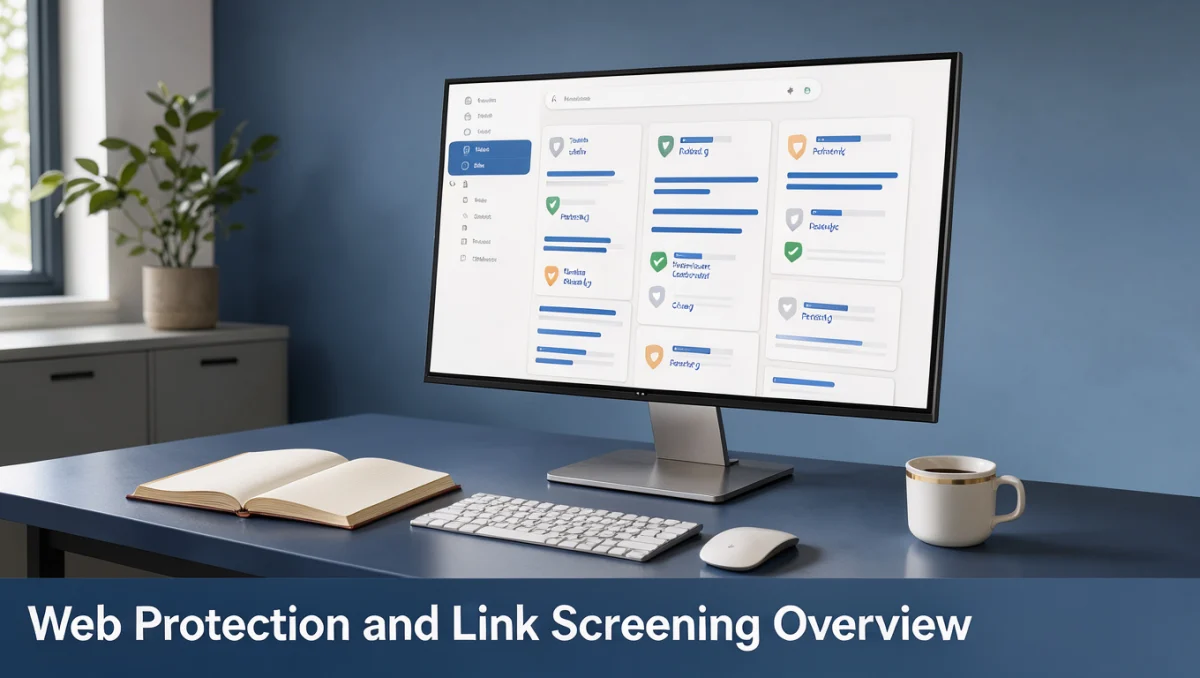
Security tools should protect you without getting in the way of routine research. Installing bitdefender trafficlight for firefox adds very little clutter to the interface, mainly appearing as an indicator icon in the browser toolbar. The icon changes to reflect the security status of the site you're viewing, giving you passive visibility without requiring constant management.
In everyday use, the extension stays in the background. Legitimate sites load without noticeable interference, and search result markers appear alongside ordinary snippets. When it blocks an untrusted resource, it replaces the content with a plain-language notice explaining why the page was halted, along with options to return to safety or proceed at your own risk.
The learning curve is gentle, so users with different levels of technical experience can get started easily. Readers of Tested Truth often prefer tools that protect automatically, letting them focus on their main tasks while security runs quietly in the background.
5. Pros and cons of Bitdefender TrafficLight for Firefox
Weighing strengths against trade-offs helps prospective users understand both what the tool does well and where it falls short.
5.1. Pros
- Adds visual security markers next to search engine results to support careful browsing.
- Runs quietly in the background without complicated configuration screens.
- Blocks malicious destinations and credential-harvesting pages before rendering completes.
- Comes from Bitdefender, an established security company with substantial threat research resources.
5.2. Cons
- Protection is limited to the browser session, so traffic from other applications goes unmonitored.
- Markers can occasionally misjudge new or niche sites that are actually harmless, so manual checking is sometimes needed.
- It lacks a centralized management console for administrators who need to enforce policies across many machines.
6. Bitdefender TrafficLight for Firefox vs similar security add-ons
Web protection extensions serve several different niches in the consumer and business software market. Comparing their positioning clarifies where Bitdefender TrafficLight fits.
| Security Tool | Best For | Core Positioning | Considerations |
|---|---|---|---|
| Bitdefender TrafficLight | Individual Firefox users | Quiet link screening with inline search engine safety indicators. | Focuses on web traffic filtering rather than full-disk malware scanning. |
| Malwarebytes Browser Guard | Privacy-focused consumers | Integrated ad, tracker, and fraudulent domain blocking across web sessions. | Check memory footprint and feature options on the vendor site. |
| Avast Online Security | Multi-browser home setups | Reputation-based web assessment backed by community feedback scores. | Confirm data sharing policies and tracking consent settings before setup. |
| Windows Defender Browser Protection | Standard desktop environments | Screening suspicious destinations against enterprise threat feeds. | Availability across non-standard browser configurations varies by platform. |
Bitdefender TrafficLight concentrates on domain reputation and link scanning, while some alternatives add broader tracker suppression or ad filtering. Buyers who want layered protection should decide whether they need link filtering alone or a hybrid extension that combines privacy controls with threat detection.
7. Who should use Bitdefender TrafficLight for Firefox
Understanding typical user profiles helps determine whether this software suits your needs.
7.1. Freelancers and consultants
Freelancers often receive research links, client portals, and documents from unfamiliar senders. Adding browser-level link checks creates an extra barrier against fake portals designed to compromise independent business accounts.
7.2. Small business teams
Small teams without dedicated IT staff can add a browser security extension to establish baseline web defenses. Visual safety indicators reduce the chance that staff follow a suspicious link while researching suppliers online.
7.3. Researchers and students
Academic work involves clicking unfamiliar citations, foreign archive portals, and forum references. Inline search indicators help students spot questionable sites before opening them, helping protect their computers.
7.4. Who should look at alternative setups
Enterprise administrators who need centralized security logs, compliance audit trails, and fleet-wide policy deployment require full endpoint detection systems rather than an independent browser extension. Such teams should review enterprise endpoint protection suites on official vendor websites.
8. How to choose the right web protection solution
Choosing web protection software means balancing security needs, performance, and browser stability. The checklist below highlights key factors to verify on official vendor pages.
| What to check | Why it matters |
|---|---|
| Browser extension compatibility | Confirms the add-on supports current Firefox releases and receives regular updates. |
| Threat intelligence frequency | Frequent definition updates help defend against newly emerging fraudulent domains. |
| Data collection policies | Clarifies how browsed URLs are analyzed and whether anonymized usage logs are stored. |
| Performance resource footprint | Helps verify that scanning does not slow page loading on modest hardware. |
| Configuration flexibility | Lets you set allowlist rules for trusted intranets or local development servers. |
9. Frequently asked questions
What is the role of browser security extensions alongside desktop antivirus software?
Browser security extensions analyze web traffic, URLs, and search results directly within the browser. While desktop security software inspects files written to local storage, a browser add-on provides an early warning before malicious content starts to download, offering complementary, layered defense.
How do inline search status markers help during everyday web searches?
Inline status markers place a small indicator beside search result links, summarizing a domain's safety before you click. This visual guidance flags suspicious destinations, phishing duplicates, and compromised sites, helping you make safer decisions when scanning results that include unfamiliar websites.
What should users review in privacy policies before installing browser security add-ons?
Review the official privacy disclosures to understand how visited URLs and network requests are sent to analysis servers. Reputable providers explain whether domain queries are hashed or anonymized, which helps ensure personal data and browsing history remain protected during threat lookups.
Why might a legitimate niche website display a security warning in browser extensions?
Security extensions rely on algorithmic domain scoring, threat databases, and domain age data. A newly registered or rarely indexed site may lack an established reputation, so automated scanners can show a cautious alert until the domain builds a verified standing in threat records.
How can users confirm an extension comes from the genuine developer?
Check the publisher details directly in the official Firefox add-on directory. Verify the vendor name, official developer website links, and update history to make sure the extension is the authentic release rather than an unverified copy requesting browser permissions.
10. Final verdict on Bitdefender TrafficLight for Firefox
Choosing reliable security software means weighing protective effectiveness, system overhead, and user control. The evaluation below summarizes performance across the testedtruth criteria.
| Criterion | Score /10 | Reason |
|---|---|---|
| Features | 7.5/10 | Provides active URL scanning, antiphishing alerts, and visual search safety markers. |
| Ease of Use | 8.5/10 | Installs smoothly into Firefox, runs quietly in the background, and shows clear warning notices. |
| Pricing and Value | 8.0/10 | Check official Bitdefender terms to confirm delivery model and license structure. |
| Integrations | 7.0/10 | Operates within the browser; check the official portal for cross-platform add-on availability. |
| Audience Fit | 8.0/10 | Well suited to individual researchers, freelancers, and remote workers who want unobtrusive browsing safety. |
| Support | 7.0/10 | Consult the official Bitdefender knowledge base for troubleshooting guides and community forums. |
| Competitive Position | 7.5/10 | Holds a solid position against rival browser add-ons through dedicated domain reputation analysis. |
Overall score: 7.6/10
Bitdefender TrafficLight for Firefox is a dependable browser safeguard for individual users who want to strengthen everyday web navigation. By screening links, marking search results, and blocking fraudulent pages before they render, it adds practical awareness for students, freelancers, and small office staff. Enterprises will need broader fleet-wide management tools, but everyday users looking for reliable link filtering will find this extension a useful addition.
Have questions about choosing the right web protection software for your computer? Send your inquiries via https://testedtruth.com/contact/ or join our professional discussion network on LinkedIn at https://www.linkedin.com/company/testedtruth/.