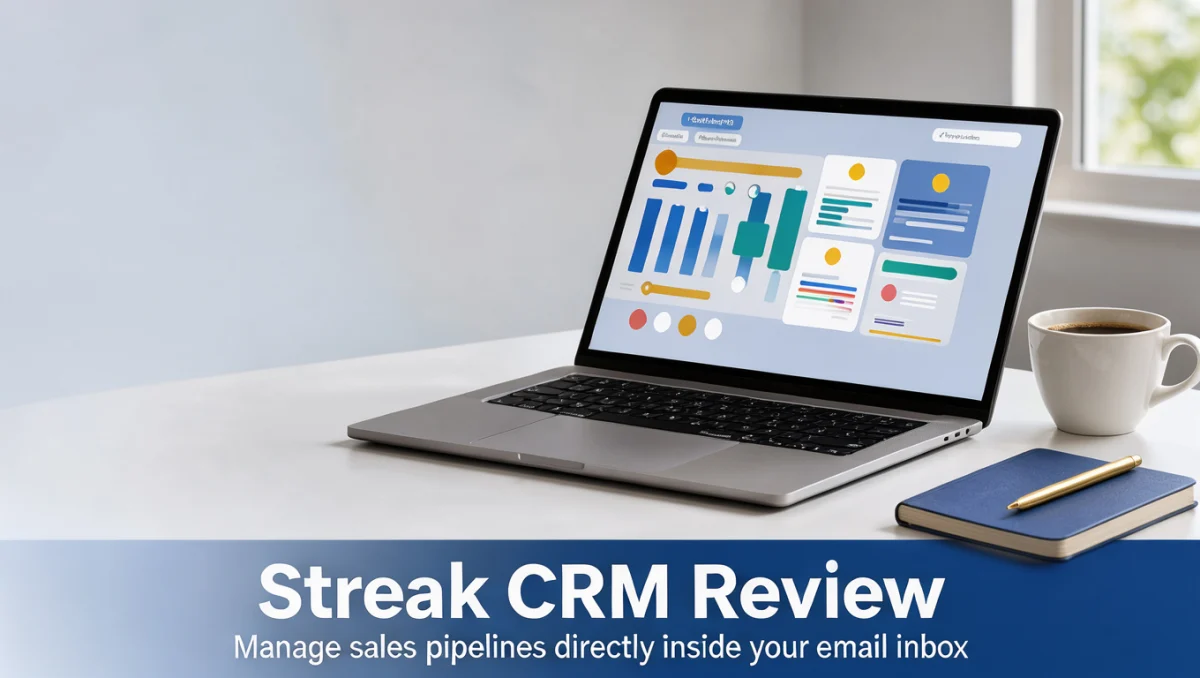
Many sales reps lose time switching between a customer database and their daily email. A streak crm review helps answer whether keeping deal management inside the inbox solves that friction for small teams, or whether a standalone platform serves a growing company better.
Our assessment at Tested Truth looks at how the tool handles contact records next to live conversations, without requiring you to leave your web mail. We also flag the points you should confirm on the official site before committing to a subscription in 2026.
Quick verdict: Streak CRM earns an overall rating of 7.6/10. It suits solo professionals, consultants, and lean commercial groups who want deal management inside their inbox. It is less suited to large enterprises that need custom departmental handoffs, advanced phone modules, or heavy external database syncing.
| Metric | Summary Details |
|---|---|
| testedtruth score | 7.6/10 |
| Best for | Users who want deal management without leaving their main email inbox |
| Not ideal for | Organizations that need a dedicated enterprise customer database |
| Key strengths | Native email integration, flexible visual pipelines, quick setup |
| What to check before buying | Confirm user limits, pipeline sharing rules, and automation access on official plan pages |
1. How testedtruth Reviewed Streak CRM
We assessed the product against seven criteria: features, ease of use, pricing and value, integrations, audience fit, support, and competitive position. Plans and limits change frequently, so we highlight what to verify on the vendor's website before purchase. This article was researched and drafted with AI assistance, then reviewed and edited by the Tested Truth Editorial Team.
2. What Streak CRM Is and Who It Serves

Streak CRM is a relationship management tool built to run inside an email client. Rather than requiring staff to log into a separate browser portal to update contacts, it structures sales stages, project tracking, and follow-ups within the active inbox view. This reduces the copy-and-paste work that often leads to poor data quality.
The product mainly targets solo operators, freelance providers, recruiters, and agile sales teams that want structured pipelines without heavy administration. Anyone handling partnership talks or customer inquiries can keep correspondence attached to each deal card. When comparing sales tools, buyers should decide whether an inbox-based utility offers enough structure or whether their process needs dedicated software.
3. Core Features
Streak CRM organizes daily commercial work around visual tracking, message handling, and relationship timelines.
3.1. Visual pipeline and stage tracking
Teams can turn incoming email threads into actionable deal entries. Users define sequential stages such as discovery, qualification, proposal, negotiation, and closed accounts. Each entry holds status notes, revenue estimates, and assigned colleagues, giving the group a view of active opportunities alongside their mail folders.
Before buying, review official documentation to confirm how many pipelines an account can run at once, since those limits affect how you separate different operations.
3.2. Email orchestration and correspondence management
The platform records when messages are opened and supports bulk sending directly from an existing address. Sales staff can save reusable templates, schedule follow-up sequences, and check delivery timestamps without adding a separate email marketing tool. This keeps outreach consistent across team members.
Because sending rules and outbound allowances depend on provider guidelines and plan tier, check current caps on the official Streak CRM plan comparison page before planning large outbound campaigns.
3.3. Contact records and collaboration
Each relationship entry gathers past communications, file attachments, and internal notes into one chronological feed. Colleagues can assign tasks, tag teammates on specific deals, and review earlier exchanges before a call. This keeps institutional knowledge available when account ownership changes hands.
4. Ease of Use and Learning Curve
Streak CRM has a gentle learning curve for anyone comfortable with desktop email. Its spreadsheet-like layout makes adding custom columns, dropdown menus, and color tags straightforward compared with traditional enterprise software. Many new users start tracking conversations within minutes of installation.
Running an entire sales pipeline inside an inbox can create visual crowding. Teams managing thousands of active rows may find the interface cluttered when mixing deal work with routine mail. Prospective buyers should test the layout during a team demo to make sure it feels comfortable day to day.
5. Pros and Cons
Weighing the operational advantages against the structural limits helps teams make an objective decision based on this streak crm review.
5.1. Operational advantages
- Works directly in the daily inbox, removing the need to switch between separate platforms.
- Spreadsheet-style pipeline views let teams create custom fields quickly, without developer help.
- Centralized interaction logs attach incoming messages and attachments to the right opportunity card automatically.
- Pre-built pipeline structures support different workflows, including deal closing, hiring, and project tracking.
5.2. Functional considerations
- Tightly tied to one email ecosystem, which limits flexibility if an organization switches productivity suites.
- The inbox can become crowded when handling high volumes of simultaneous opportunities.
- Reporting is geared toward streamlined metrics rather than complex multi-department forecasting.
- Collaboration and permission controls should be confirmed on the vendor site to verify which tiers include them.
6. Streak CRM vs Similar Tools
Choosing relationship software means comparing workflow styles against competing products, since each platform reflects a different philosophy.
| Solution | Core Positioning | Best For | Key Consideration |
|---|---|---|---|
| Streak CRM | Inbox-embedded pipeline manager | Teams prioritizing direct email workflow | Requires commitment to one messaging ecosystem |
| HubSpot CRM | Broad marketing and inbound sales hub | Companies wanting unified marketing, sales, and service tracking | Wider scope requires more setup discipline |
| Pipedrive | Activity-focused visual sales pipeline | Dealmakers focused on stage momentum and calls | Operates as an external web workspace |
| Zoho CRM | Extensive multi-channel business suite | Organizations needing broad customization and app ecosystems | Higher administrative complexity during onboarding |
Standalone platforms offer dedicated environments for enterprise data structures, while Streak CRM prioritizes convenience and immediate access. If your staff resists traditional database interfaces, keeping deal stages inside communication threads often leads to better compliance.
7. Who Should Use Streak CRM
Different business models get different value from inbox-based pipeline management.
7.1. Freelancers and consultants
Solo professionals balancing client acquisition with delivery benefit from consolidated records. Tracking prospects, agreed proposals, and follow-up milestones on the same screen used for reading mail cuts down on software overhead.
7.2. Small commercial teams
Agile sales groups that need shared opportunity tracking without complex configuration will find the platform approachable. Members can review deal history, delegate contact duties, and monitor pipeline progress without maintaining extra web portals.
7.3. Organizations that should consider alternatives
Enterprises running multi-layered ticketing operations, complex partner programs, or non-compatible office environments should look at dedicated standalone CRM suites. If operations depend on offline database instances or specialized telephony hardware, other architectures will serve better.
8. How to Choose the Right Plan
Subscription choices should match organizational size, collaboration needs, and functional requirements. Checking the official Streak CRM pricing page helps keep budgets predictable.
| What to check on the official page | Why it matters |
|---|---|
| User seat structure | Total recurring cost depends on whether billing is per individual or per shared team. |
| Pipeline sharing capabilities | Some tiers limit whether pipelines stay private or are visible to collaborators. |
| Outbound email tracking limits | Campaign volume determines whether standard sending rules fit your outreach schedule. |
| Advanced reporting and analytics | Deeper historical tracking and pipeline metrics may be restricted to higher tiers. |
| Customer support options | Assistance response times vary by plan, which matters for mission-critical work. |
9. FAQ
9.1. How should a business judge whether an inbox CRM fits its daily workflow?
Start by analyzing where sales staff spend most of their working hours. If customer interaction happens almost entirely through written email, an inbox-embedded tool saves navigation time. If transactions involve extensive physical inventory or multi-tier approvals, a dedicated enterprise platform may be necessary.
9.2. What should buyers verify about team collaboration before purchasing?
Review the official plan breakdown to understand how contacts and pipelines are shared across team members. Some subscription models separate personal pipeline management from multi-user synchronization. Confirming these permissions on the vendor site prevents surprises when onboarding colleagues.
9.3. Why does email provider alignment matter for Streak CRM?
The system is built around a specific inbox technology, so operational viability depends on your current messaging setup. If your organization plans to migrate email platforms or uses different client software across departments, check compatibility on the official Streak CRM site before buying.
9.4. How does pipeline volume affect navigation inside an inbox tool?
Running a CRM inside a web mail client places general correspondence and sales records on one screen. Teams with dozens of concurrent pipelines should check whether the layout stays legible during daily work. Testing column arrangements early in the evaluation helps establish comfortable habits.
10. Final Verdict
Streak CRM offers a practical alternative to cumbersome enterprise software for professionals whose work depends on direct communication. By turning an inbox into an interactive deal database, it removes data-entry resistance for small teams. Buyers should review feature limits on the official vendor website to match a subscription tier with their growth plans.
| Criterion | Score /10 | Reason |
|---|---|---|
| Features | 7.2/10 | Capable stage tracking, mail merge, and thread history, though it lacks deep enterprise-level custom modules. |
| Ease of Use | 8.8/10 | Exceptionally accessible for existing email users, with familiar spreadsheet-style navigation and fast onboarding. |
| Pricing and Value | 7.5/10 | Sensible for small groups, though buyers should verify which advanced collaboration tools require higher tiers. |
| Integrations | 7.0/10 | Firmly anchored to its primary email environment, so external connectivity needs verification. |
| Audience Fit | 8.4/10 | An ideal fit for solo consultants, small sales crews, and recruiters seeking low administrative friction. |
| Support | 7.0/10 | Service channels and response levels scale by plan, so confirm them on official pages. |
| Competitive Position | 7.6/10 | Holds a distinct niche against complex standalone CRMs by prioritizing inbox convenience. |
Overall testedtruth score: 7.6/10
Tested Truth publishes independent evaluations to help organizations choose software that fits their actual working rhythms. If you have questions about your software selection process or want to share feedback on this review, reach out through our contact page at https://testedtruth.com/contact/ or join the discussion on LinkedIn at https://www.linkedin.com/company/testedtruth/.