testedtruth may earn a commission when you buy through links on this page, at no extra cost to you. This does not affect our ratings.
Before you rely on Gamma for client decks, internal reports, or web-style briefs, one question matters most: is gamma ai safe for the information you plan to feed into it? The answer depends less on hype and more on how your organization handles data, what goes into each prompt, and what the vendor's official terms actually promise.
At testedtruth, we assess digital workplace software so that teams, creators, and business owners can buy with confidence. Automated slide and document tools have sped up how drafts come together, yet every organization should confirm privacy terms before pasting confidential material into any cloud-based workspace.
Quick verdict: With an overall score of 7.6/10, Gamma suits freelancers, educators, and teams that need quick visual drafts for presentations and briefs. It is a weaker fit for organizations bound by strict compliance rules that prohibit third-party automated processing without a custom administrative agreement.
| Metric | Summary Details |
|---|---|
| testedtruth score | 7.6/10 |
| Best for | Teams and individual creators who want automated slide and document drafts from text prompts |
| Not ideal for | Organizations handling regulated records that demand strict offline processing or bespoke data guarantees |
| Key strengths | Automated visual card generation, document transformation, and flexible web-style presentation layouts |
| What to check before buying | Official privacy policies, workspace access permissions, export options, and subscription seat terms |
1. How testedtruth Reviewed Gamma
This review examines what Gamma is built to do, who it serves, and how it compares with similar tools, applying the seven testedtruth criteria: features, ease of use, pricing and value, integrations, audience fit, support, and competitive position. Plans, prices, and limits change often, so we flag what to confirm on the official website before purchasing. This article was researched and drafted with the help of AI tools, then reviewed and edited by the testedtruth Editorial Team.
2. What Is Gamma and Who Is It For?
Gamma is an automated platform for generating presentations, documents, and webpages that turns written outlines and raw ideas into formatted visual cards. Traditional slide software requires manual alignment, template hunting, and deliberate text formatting for every screen. Generative document software instead interprets natural-language prompts and structures content into fluid presentations that can be shared as interactive links or exported for standard display.
The platform serves knowledge workers, startup founders, marketing teams, agency consultants, and students who regularly summarize proposals or project roadmaps. Looking across the wider Artificial Intelligence software landscape reveals a common pattern: these tools aim to save preparation time by producing initial visual layouts instantly, leaving users to refine the substance.
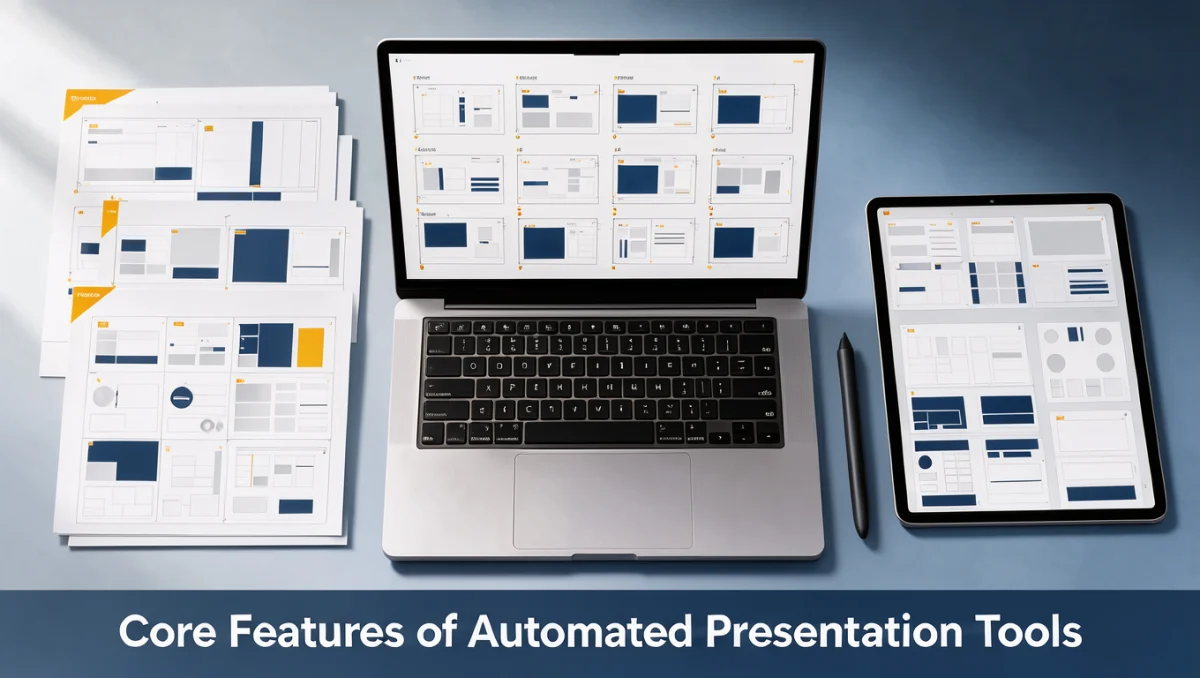
3. Core Presentation and Document Features
Understanding what presentation generation tools can do helps buyers judge where automated drafting delivers real productivity and where manual oversight remains essential.
3.1. Prompt-Driven Card and Slide Creation
The core function of Gamma is generating visual cards and presentations directly from text instructions, notes, or imported outlines. You supply a concept or paste text, and the system produces structured sections with headers, descriptive paragraphs, and visual blocks. Buyers should confirm on the official Gamma documentation how input text is processed and whether account settings allow opting out of automated model training.
3.2. Flexible Document and Webpage Layouts
Unlike rigid presentation tools that enforce fixed aspect ratios, modern visual tools let cards expand to hold text, diagrams, and multimedia embeds. This flexibility bridges traditional slide decks, long-form briefs, and lightweight web pages. For teams sharing project briefs across different screen sizes, fluid layouts keep readers from wrestling with awkward horizontal scrolling.
3.3. Content Styling and Brand Themes
Automated visual generation includes one-click theme switching, color palette changes, and font coordination across an entire document. Instead of resizing text boxes or recoloring shapes slide by slide, creators adjust themes universally. Prospective buyers should check the official pricing page to see whether custom organizational branding, custom fonts, and logo watermarks require a specific subscription level.
3.4. Collaborative Editing and Document Sharing
Modern presentation software offers direct sharing through web links, collaborative commenting, and simultaneous multi-user editing. Readers can view presentations as interactive web cards while teammates add feedback or edit content in real time. Administrators should review official workspace management documentation to see how access permissions, sharing controls, and link expiration vary across account tiers.
4. Ease of Use and Learning Curve
Gamma emphasizes an accessible experience that removes the intimidation of a blank canvas. Traditional slide building demands deliberate layout choices, graphic placement, and typesetting decisions before a deck looks presentable. With automated generation, onboarding consists of providing an outline, choosing an aesthetic direction, and letting the layout engine populate the canvas.
The learning curve for editing generated cards is modest for anyone comfortable with modern block-based text editors. Users accustomed to pixel-perfect design software may need time to adjust to responsive, block-based card constraints. Because elements reflow dynamically, teams must learn to work within predefined card structures rather than dragging objects freely across exact coordinates.
5. Understanding Safety and Data Privacy in Automated Presentation Tools
Judging whether an automated document generator is safe for your organization means looking beyond marketing claims and conducting a structured review of the technical terms.
5.1. Evaluating Data Usage and Model Training Terms
When asking whether an automated software system is safe, the central operational question is whether your submitted text, proprietary figures, and strategic notes are stored or used to train general machine learning models. Vendors update their terms periodically as underlying technology evolves. Buyers should open the official privacy policy and legal pages to confirm whether workspace data stays private to the account or whether an enterprise agreement is needed to guarantee exclusion from training pools.
5.2. Workspace Access Control and Link Sharing Permissions
Document safety also depends on how presentations are shared with audiences. Generative slide tools often make sharing easy by generating public web links. Organizations must verify how link-sharing works: can links be password-protected, restricted to authorized domain emails, or disabled entirely? Review the official workspace security documentation to make sure administrators can prevent accidental external exposure of draft business documents.
5.3. Managing Confidential Information in Prompts
Regardless of vendor policy, organizations should set internal safety guidelines for generative software. Most subscription tools process inputs through remote computing infrastructure, so teams should adopt a practical privacy routine: anonymize sensitive customer names, remove proprietary financial figures, and scrub internal credentials before submitting drafts for slide creation. Establishing this data handling discipline lets teams stay productive without exposing sensitive intellectual property.
6. Pros and Cons of Gamma
Weighing operational benefits against software constraints gives buyers a clear view of where automated tools excel and where they hit natural limits.
6.1. Platform Strengths
- Rapid visual generation: Turns raw outlines and project notes into cohesive visual decks in minutes.
- Adaptive reading experience: Fluid card layouts read naturally on phones, laptops, and wide monitors.
- Universal styling: Global theme changes remove the tedious chore of adjusting individual slide templates by hand.
- Accessible editing interface: Block-style content editing helps non-designers organize presentations smoothly.
6.2. Platform Limitations
- Less precision for rigid layout demands: Users who need millimeter-level placement of vector graphics may find responsive cards restrictive.
- Dependence on internet infrastructure: Real-time generation and dynamic card hosting require an active network connection.
- Verification responsibility: Generated text and summaries need human review for factual accuracy and appropriate phrasing.
- Evolving governance settings: Advanced sharing governance and enterprise administration details must be verified directly on official plan pages.
7. Gamma vs Similar Tools
Comparing Gamma with other notable platforms clarifies where it fits in the visual productivity ecosystem.
| Software | Best For | Core Strength | Consider When |
|---|---|---|---|
| Gamma | Fast narrative decks and interactive visual documents | Fluid web-first card layouts and prompt-based structure generation | You want presentations that read like clean documents rather than rigid slide templates |
| Canva | Broad marketing collateral, print designs, and social assets | Vast template libraries and extensive visual graphic customization | Your primary need is manual visual control across diverse print and digital formats |
| Beautiful.ai | Structured corporate decks that follow presentation rules | Smart slide templates that automatically adjust graphic spacing | You need traditional presentation aspect ratios with automated alignment guardrails |
| Microsoft PowerPoint | Enterprise-standard slide decks with deep offline workflows | Deep desktop functionality and ubiquitous corporate compatibility | Your organization requires established enterprise file distribution and offline editing |
7.1. Positioning Against Traditional Slide Software
Traditional tools like PowerPoint and Google Slides remain the standard for boardrooms, training sessions, and institutional reporting. They offer total layout freedom, advanced charting, and universal offline file support, but they place the full burden of visual design on the presenter. Gamma takes the opposite approach by prioritizing speed and responsive readability, trading away traditional slide pagination and offline-first workflows.
7.2. Positioning Against Design and Template Platforms
Design suites like Canva offer expansive creative assets, custom typography, and print-ready tools. Template platforms excel when an editor wants to choose specific illustrations and drag stickers onto a canvas, yet they still require significant manual assembly. Gamma is geared toward narrative flow: you supply the argument or outline, and the software structures the presentation without making you browse hundreds of decorative templates.
8. Who Should Use Gamma?

A software platform can deliver real value to one professional group while proving impractical for another. Here is how common operational needs line up with Gamma.
8.1. Freelancers and Independent Consultants
Solo operators regularly draft proposals, client onboarding roadmaps, and project debriefs without dedicated graphic design help. For independent workers, hours spent aligning bullet points are unbillable time. Gamma lets consultants paste a project scope into an outline and produce an engaging, readable presentation that can be shared instantly as a link.
8.2. Startup Founders and Product Marketers
Early-stage operators must communicate vision, product launches, and strategic updates quickly to teammates and advisors. When testing narrative angles or pitching internal ideas, speed matters more than perfection. Marketing teams and founders benefit from drafting structured visual cards in minutes, iterating on messaging without getting bogged down in formatting.
8.3. Educators and Workshop Leaders
Instructors and corporate trainers often present educational material in formats students can revisit outside class. Because Gamma cards display responsively on mobile screens, learners can read lecture overviews or workshop takeaways on personal devices without squinting at tiny, unscaled slide text.
8.4. Teams Handling Regulated or Classified Records
Organizations in healthcare, legal compliance, or defense that enforce strict data isolation may find external automated document generation unsuitable for confidential files. If your regulatory framework prohibits processing sensitive information through multi-tenant cloud tools without specialized audits, stick with approved internal systems or consult official enterprise compliance agreements before use.
9. How to Choose the Right Plan and Verify Official Terms
Because software tiers, usage allowances, and administration features change over time, buyers should run thorough checks on official pages before purchasing.
| What to check on official pages | Why it matters |
|---|---|
| Model training policies | Determines whether your prompt content is excluded from automated learning datasets |
| Export and file download options | Confirms you can extract decks as standard files if external offline sharing is mandatory |
| Workspace user seats and permissions | Prevents unexpected upgrade costs when expanding team editing privileges |
| Custom branding and domain options | Confirms whether custom fonts, themes, and white-label sharing require higher subscription tiers |
| Link sharing and access restrictions | Ensures your team can enforce domain-restricted viewing or password controls on sensitive briefs |
10. Frequently Asked Questions
10.1. How can teams verify how their presentation data is handled?
Teams should visit the vendor's official privacy policy and security terms. Review the data handling sections to see whether submitted text is stored for processing or used for model training, and check whether account settings allow opting out of data retention.
10.2. What should buyers check before presenting proprietary company data?
Buyers should confirm workspace permission controls, link visibility settings, and administrative access logs. For sensitive projects, verify whether sharing links can be restricted to authenticated company domains to prevent unauthorized public viewing.
10.3. How do automated presentation tools differ from standard slide makers?
Automated presentation software generates layout structures, text summaries, and thematic palettes directly from text outlines. Standard slide makers require manual slide creation, deliberate graphic placement, and hand-applied template formatting for every screen.
10.4. What export options should teams confirm before adopting the platform?
Organizations should review official documentation on file export types, such as static presentation files or portable documents. Checking export compatibility ensures your team can present offline or archive files in internal records when required.
10.5. How should organizations budget for automated content creation software?
Budget planning should account for monthly or annual per-seat licensing, administrative account tiers, and any usage limits for team members. Reviewing official comparison tables helps you choose an account level that accommodates all intended collaborators.
11. Final Verdict
Choosing an automated presentation solution comes down to balancing speed and convenience against your organization's privacy standards. Readers exploring modern workplace software can rely on Tested Truth for objective evaluations built on consistent testing criteria.
| Criterion | Score /10 | Reason |
|---|---|---|
| Features | 7.8/10 | Strong automated card formatting and dynamic layouts, balanced against fewer manual pixel-level design controls. |
| Ease of Use | 8.8/10 | Intuitive block-based editing and prompt workflows make visual deck creation fast for non-designers. |
| Pricing and Value | 7.2/10 | Buyers must evaluate seat tiers and usage limits on official pages to match team budget requirements. |
| Integrations | 7.0/10 | Supports link sharing and common embeds, though workflow connections should be checked on official integration pages. |
| Audience Fit | 8.2/10 | Highly effective for consultants, marketers, and students; less aligned with strict regulatory environments. |
| Support | 7.1/10 | Buyers should check official support documentation and account resources to confirm available help channels. |
| Competitive Position | 7.4/10 | Distinctive responsive, web-first card structure compared with traditional slide tools and template graphics editors. |
Overall score: 7.6/10
For freelancers, educators, and product teams, Gamma offers a streamlined way to turn outlines into visually engaging presentations without manual formatting. If you handle classified records or regulated data, inspect the official terms and privacy policies thoroughly before entering sensitive drafts. Have questions about software safety or want our editorial team to evaluate a specific tool? Tested Truth is here to help.