Tested Truth may earn a commission when you buy through links on this page, at no extra cost to you. This does not affect our ratings.
Course creators and digital educators increasingly want student conversations, peer feedback, and membership discussions to live right next to their lessons. For years, learning platforms kept the curriculum in one place and group chat in another, forcing learners to juggle separate networks. Today, many instructors prefer a single digital space where students engage without leaving the course. Our editors assess educational technology to show how communication tools affect student retention and peer interaction, and a strong teachable community setup is one of the most-asked-about options.
Assessing tools tied to courses means examining moderation workflows, onboarding for new participants, and admin controls. Time spent building student spaces can lift completion rates, but creators must decide whether built-in features match their daily operations or whether an external community platform is still needed.
Quick verdict: With an overall score of 7.6/10, the built-in community environment suits independent creators who want direct student discussions tied to existing courses. It is less suited to complex organizations that need advanced sub-group governance or enterprise-level member hierarchies.
| Evaluation Metric | Summary |
|---|---|
| Tested Truth score | 7.6/10 |
| Best for | Course creators who want organized student discussions alongside learning content |
| Not ideal for | Organizations that need multi-tier enterprise membership structures or separate external social platforms |
| Key strengths | Unified course and student interaction, simple moderation workflows, and centralized student management |
| What to check before buying | Review the official plan comparison page to confirm which subscription level includes community spaces |
1. How Tested Truth Reviewed the Teachable Community
This review looks at what Teachable is built to do, who it serves, and how it compares with similar tools. We apply seven criteria: features, ease of use, pricing and value, integrations, audience fit, support, and competitive position. Plans, prices, and limits change often, so we flag what to verify on the official website before purchasing. This article was researched and drafted with the help of AI tools, then reviewed and edited by the Tested Truth Editorial Team.
2. What Teachable Is and Who It Is For
Teachable is an online knowledge commerce platform that helps instructors build, market, and deliver digital courses, downloads, and interactive coaching services. The software handles student registration, content hosting, course structuring, payment processing, and learner progress tracking from a single admin dashboard.
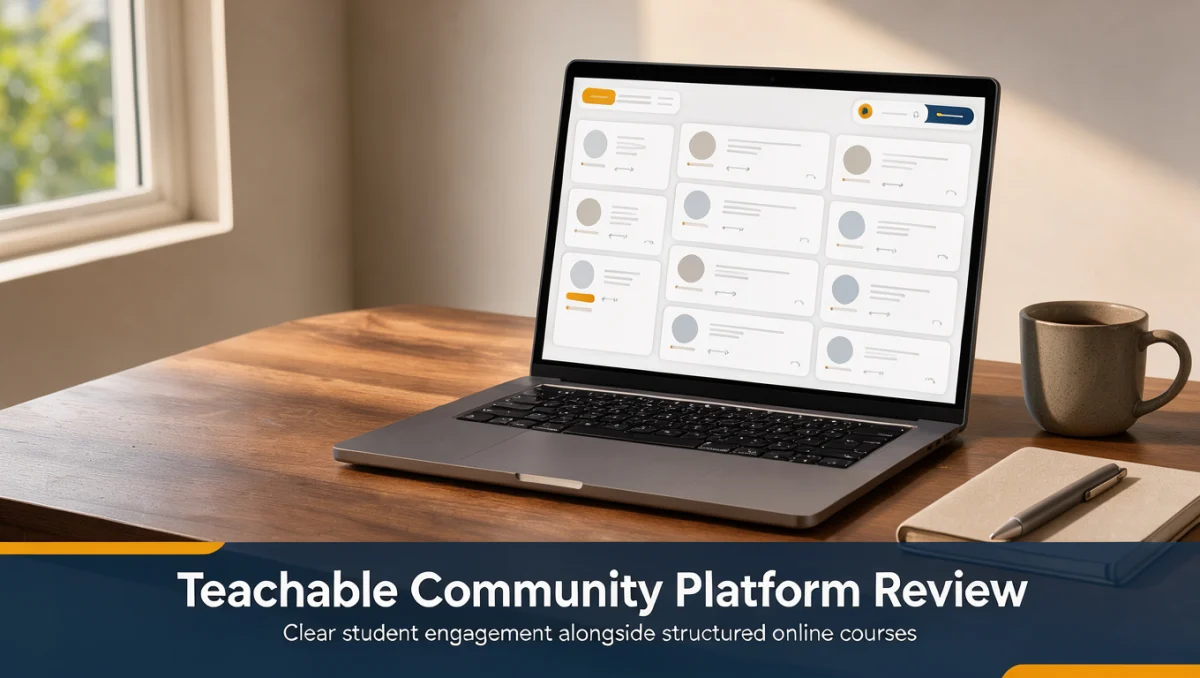
The community component works as an interactive hub where enrolled students connect with instructors and fellow participants. Instead of sending learners to unmoderated chat rooms or social media groups, creators use these embedded spaces to run question-and-answer threads, share project assignments, and post announcements.
This setup mainly serves independent instructors, niche educators, coaches, and boutique training agencies. Keeping digital course students motivated is an ongoing challenge, and structured group spaces give learners the accountability they need to finish lessons.
For solo operators who want streamlined business management, having discussions linked directly to course modules removes the hassle of managing separate member lists across several third-party tools.
3. Core Features of the Teachable Community
Community features inside an educational platform need to bridge lecture materials and open conversation. The functional areas below define how instructors and learners use these capabilities.
3.1. Discussion Spaces and Conversation Threads
Organized spaces let administrators split student conversations by cohort, topic, or general announcements. Members can post updates, ask curriculum questions, and reply to peers within dedicated streams.
Threaded replies keep discussions orderly so that specific questions about lessons do not get buried in general chat. Instructors can pin essential guidelines to the top of a channel to keep conversations productive.
3.2. Direct Learner Engagement and Instructor Presence
Instructors can acknowledge student progress, answer technical questions, and share supplemental resources directly in community feeds. Mentioning specific members draws attention to critical feedback or upcoming coaching sessions.
Learners gain a sense of shared progress when they see classmates working through the same assignments. This public interaction turns solitary study into a collaborative learning environment.
3.3. Member Profiles and Directory Navigation
Community members keep individual profiles showing their display names, biographies, and participation details. A searchable directory helps students find peers with similar interests, locations, or professional goals.
Linking student accounts directly to course rosters ensures that only active, enrolled learners access community channels, which reduces spam and unauthorized access.
3.4. Moderation Tools and Content Governance
Administrators use moderation controls to keep conversations respectful, relevant, and supportive. Instructors can remove inappropriate posts, mute disruptive accounts, and set clear posting guidelines across public channels.
Built-in moderation workflows let solo instructors protect their learning culture without hiring a dedicated community manager.
4. Ease of Use and Learning Curve
Usability is a major factor in educational software, since unnecessary friction causes students to abandon interaction spaces. Teachable keeps navigation clean and familiar, similar to modern social interfaces, so students can start contributing right away.
On the admin side, setting up new spaces and permissions takes little time. Creators do not need coding knowledge to create channels, invite students, or publish opening discussion prompts.
For learners, moving between course videos and discussion spaces happens smoothly within the same account. One set of login credentials lets participants review modules and ask follow-up questions without switching tabs.
5. Pros and Cons
Understanding both the advantages and the limits of embedded community tools helps creators make realistic decisions.
5.1. Strengths of the Teachable Community
- Unified learner accounts remove the need for students to create secondary profiles on third-party networks.
- Centralized admin oversight lets educators manage curriculum progress and student discussions from one platform.
- Simple space organization helps instructors launch cohort channels without complex configuration.
- Direct attachment to course catalogs means only verified, enrolled students enter specific discussion spaces.
5.2. Limitations and Considerations
- Advanced customization of member profiles remains modest compared with dedicated community software.
- Complex hierarchical sub-groups and deep gamification systems are not the platform's main focus.
- Organizations that need intricate event management pipelines may find specialized community tools a better fit.
6. Teachable Community vs. Similar Tools
Course creators often compare Teachable with established alternatives such as Thinkific and Kajabi. Each platform approaches student engagement with different structural priorities.
| Platform | Target Audience | Primary Structural Focus |
|---|---|---|
| Teachable | Individual course creators and coaches | Course publishing, structured coaching, and integrated student discussions |
| Thinkific | Course-focused educators and academies | Modular lesson delivery with standalone community environments |
| Kajabi | All-in-one information product businesses | Integrated sales funnels, email sequences, and multi-product community spaces |
Thinkific positions its community spaces as flexible hubs that can either attach to individual courses or sell as standalone recurring memberships. Creators who want dedicated discussion rooms with their own landing pages often weigh Thinkific alongside Teachable.
Kajabi targets business owners who want a full commercial engine, covering website hosting, complex marketing funnels, and membership spaces. Its community capabilities are deep, but its broader scope means a different operational scale and cost commitment than Teachable.
When comparing these options, buyers should decide whether their priority is fast course publishing with straightforward student discussions, or running a large community network backed by extensive marketing infrastructure.
7. Who Should Use the Teachable Community

Different business models call for different engagement strategies. Here is how built-in community tools align with specific user profiles.
7.1. Solo Course Creators
Individual educators teaching specialized topics benefit from keeping course content and discussions under one roof. Managing an audience across disconnected chat apps eats into teaching time, so an integrated environment is efficient for solo instructors.
7.2. Coaches and Cohort-Based Instructors
Professionals running group coaching programs can use dedicated spaces for weekly check-ins, homework submissions, and peer accountability. Cohort participants gain immediate access to shared group spaces as soon as they complete registration.
7.3. Small Digital Agencies and Training Studios
Boutique training firms delivering professional development workshops can keep client conversations organized by training topic. Consolidated admin controls simplify instructor onboarding and client management.
7.4. When Another Solution Makes More Sense
Enterprise organizations that require extensive corporate single sign-on, detailed member permission matrices, or complex multi-tier forums may outgrow embedded course discussions. In those cases, pairing course hosting with dedicated community software gives greater administrative control.
8. How to Choose the Right Plan
Subscription tiers on course platforms distribute features differently across plan levels. Before committing, measure your business requirements against the official documentation.
| What to check on the official site | Why it matters for your business |
|---|---|
| Community availability across subscription levels | Confirm which plans include native community creation and channel management |
| Transaction fee structures | Fees differ between plans and affect your net profit per enrollment |
| Administrative seat allocations | Adding co-instructors or moderators requires enough admin seats |
| Custom domain capabilities | Branding consistency depends on whether community spaces sit under your custom domain |
| Student enrollment boundaries | Verify whether active student caps or enrollment volume rules apply to your expected audience size |
9. Frequently Asked Questions
9.1. How do course creators decide between a built-in community and separate community software?
Creators should assess whether their main value is the educational curriculum or open member networking. When student questions focus on lecture content, built-in spaces reduce friction. When members join mainly to network without taking classes, standalone community platforms offer deeper social features.
9.2. What admin work is needed to keep a student community active?
Instructors need to set aside consistent weekly time for prompt moderation, answering curriculum questions, and welcoming new cohorts. Preparing discussion topics in advance helps keep student participation steady.
9.3. How does student access work when someone enrolls in a course?
Students use their standard course login to reach community spaces. Confirm on the official Teachable documentation how spaces link to specific enrollments, so buyers land in the correct channels automatically.
9.4. What costs should creators plan for beyond the platform subscription?
Budget for domain registration, payment processing fees, video production equipment, and marketing outreach. Reviewing transaction fee details on the official pricing page gives you accurate operating cost forecasts.
10. Final Verdict
The Tested Truth evaluation concludes that Teachable offers a practical, focused environment for educators who want student conversations close to their instructional content.
| Criterion | Score /10 | Reason |
|---|---|---|
| Features | 7.8/10 | Provides dependable discussion threads, student directories, and essential moderation controls |
| Ease of Use | 8.4/10 | An intuitive student interface and simple channel management require little onboarding time |
| Pricing and Value | 7.5/10 | Buyers should verify plan inclusions and transaction fees on the official site to judge true value |
| Integrations | 7.2/10 | Native tools keep discussions internal, though buyers should check data export options for external tools |
| Audience Fit | 8.0/10 | Fits independent instructors, coaches, and cohort leaders who want unified course discussions |
| Support | 7.0/10 | Assistance varies by plan level, so check official support channels for current coverage hours |
| Competitive Position | 7.6/10 | Offers a balanced, user-friendly alternative to complex standalone membership platforms |
Overall score: 7.6/10
For independent educators and coaches who value straightforward execution over complex social network features, Teachable delivers reliable discussion functionality that keeps students focused on their learning journey. If your business centers on curriculum completion, embedded community spaces offer a streamlined path forward.
Have questions about choosing the right educational technology for your business? Send your inquiries to the Marketing editorial team through our contact page, or follow Tested Truth on LinkedIn for ongoing software analysis.