Before you commit to a quillbot free download or any paid upgrade, it helps to know what the tool actually does well and where it falls short. Many writers look for an accessible way to rewrite sentences, catch grammar slips, and trim long documents without spending money up front.
At Tested Truth, we judge writing software on how it performs in daily work, how much friction it adds, and whether it fits the job at hand. Understanding how sentence-level tools behave helps you spend your time only on software that meets your publishing or academic standards.
Quick verdict: We rate QuillBot 7.5 out of 10. It suits students, solo bloggers, and anyone drafting content who needs straightforward rewriting and grammar help. It is less suited to large teams that depend on shared glossaries or centralized corporate governance.
| Metric | Summary Details |
|---|---|
| testedtruth score | 7.5 / 10 |
| Best for | Students and solo writers who want help rephrasing sentences |
| Not ideal for | Large corporate departments that need shared terminology libraries |
| Key strengths | Paraphrasing, grammar detection, and summary generation |
| What to check before buying | Character limits and vocabulary settings on the official vendor site |
1. How We Reviewed QuillBot
Our assessment follows seven criteria: features, ease of use, pricing and value, integrations, audience fit, support, and competitive position. Plans, prices, and usage limits change frequently, so we flag the details you should confirm on the official website before buying. This article was researched and drafted with the help of AI tools, then reviewed and edited by the Tested Truth Editorial Team.
2. What Is QuillBot and Who Is It For?
QuillBot is an automated writing assistant built around paraphrasing, grammar correction, and summarization. Its main job is to help you reword passages, fix mechanical errors, condense long material, and polish drafts.
The tool is aimed mainly at university students, independent content creators, non-native English writers, and office staff who write memos and reports. People searching for a quillbot free download usually want quick access to text simplification without setup overhead.
Editorial teams on tight deadlines use rewriting tools to cut repetitive vocabulary and vary sentence structure. Students use the summarizer to pull core arguments out of dense research before drafting literature reviews.
3. Core Features of QuillBot
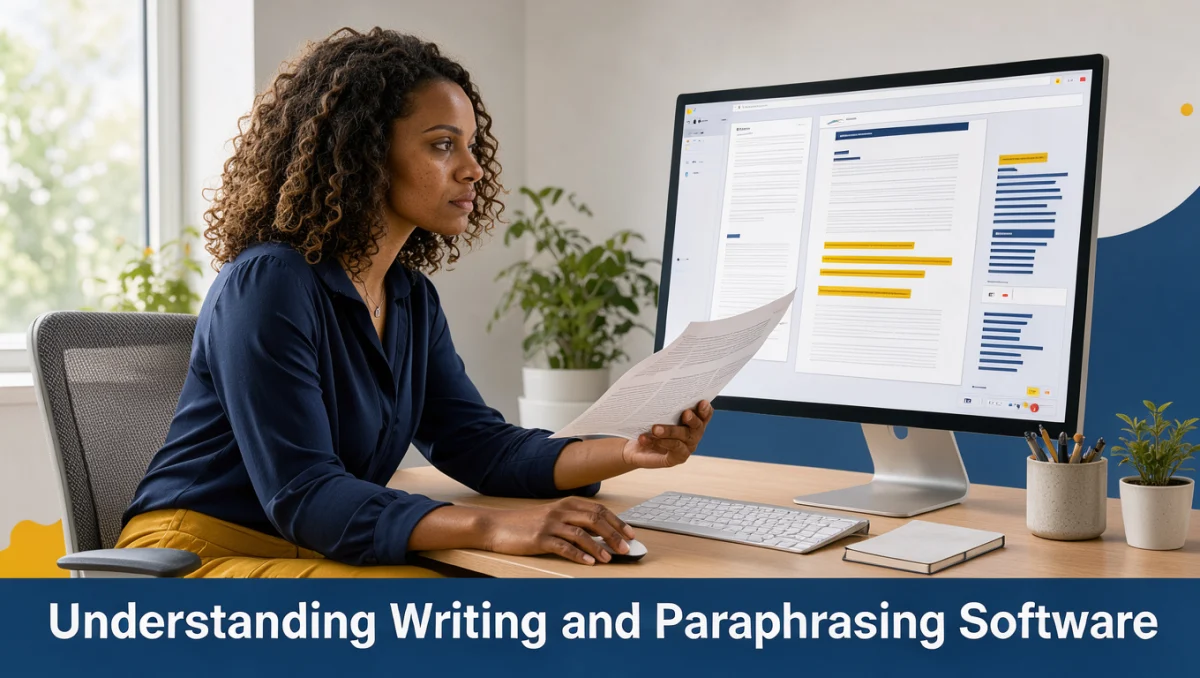
Knowing how each module works makes it easier to fit the tool into your workflow.
Paraphrasing and Sentence Restructuring
The paraphrasing module rearranges submitted text while trying to keep the original meaning. You paste a draft paragraph into the input box and review alternative phrasings, synonyms, and restructured sentences.
Vocabulary controls let you adjust how aggressively the tool replaces words. Dialing the setting up or down lets you move between light clarity edits and heavier vocabulary changes, depending on your audience.
Grammar and Mechanics Correction
The grammar checker scans pasted text for punctuation errors, spelling mistakes, and awkward phrasing. Problems are highlighted, and suggested fixes appear beside the original passage.
You can accept or ignore each suggestion individually. This matters when your text includes technical terms, brand names, or industry jargon that an automated edit might change incorrectly.
Text Summarization
The summarizer condenses reports, whitepapers, or draft chapters into key sentences or a short paragraph. You paste long content and get the central points quickly.
This is useful for researchers scanning many sources before committing to detailed reading. The condensed output gives a fast overview of lengthy material before you begin drafting.
Citation Generation Support
The citation tool helps assemble bibliography entries in common referencing styles. You enter document details such as author, title, and publication information, and the tool formats the reference.
The tool speeds up reference list creation, but academic writers should still check each entry against their institution's official style guide, since generated citations can contain formatting errors or incomplete metadata.
4. Ease of Use and Learning Curve
Most modern writing utilities emphasize fast text entry and direct editing, and QuillBot follows that pattern. Its split-screen layout places your original text beside the revised version.
New users usually understand the workflow right away: paste text, choose a mode, and review the output in real time. Keyboard shortcuts and clickable synonym options allow quick inline edits without leaving the workspace. Users unfamiliar with automated grammar engines may need some time to notice when a synonym swap has subtly changed the meaning.
5. Pros and Cons of QuillBot
Weighing strengths against limitations gives you realistic expectations before you adopt the tool.
Key Advantages
- Little setup is needed before you can start rewriting sentences and fixing syntax.
- Synonym controls let you adjust vocabulary density by hand.
- Summarization and grammar checking sit in one interface alongside paraphrasing.
- The side-by-side layout makes it easy to compare the source text with the revised draft.
Operational Constraints
- Automatic synonym swaps can change the meaning of domain-specific technical terms, so careful proofreading is essential.
- Some rewritten sentences read stiffly and need a human pass to restore a natural voice.
- Enterprise governance and compliance controls are limited compared with dedicated corporate platforms.
6. QuillBot vs Similar Tools
Comparing QuillBot with other writing tools shows how each product is positioned.
| Platform | Target Audience | Primary Capability | Buying Consideration |
|---|---|---|---|
| QuillBot | Students, bloggers, solo creators | Sentence paraphrasing and summarization | Check character limits on the vendor site |
| Grammarly | Business professionals, corporate teams | Contextual grammar and tone evaluation | Confirm organizational governance rules |
| Wordtune | Content writers, communication specialists | Contextual sentence rewording alternatives | Review seat pricing structures |
| ProWritingAid | Authors, long-form fiction writers | Deep structural and stylistic manuscript reporting | Assess desktop application requirements |
Grammarly leans toward professional workplace communication, style consistency, and tone. QuillBot is closer to sentence-level rewriting, alternative phrasing, and quick summaries.
Wordtune focuses on offering varied phrasings inside your drafting process. ProWritingAid targets full-manuscript analysis, flagging pacing issues, repeated sentence openings, and narrative consistency for book-length projects.
7. Who Should Use QuillBot?
Different users get different value from automated rephrasing tools depending on their daily work.
Students and Academic Writers
Students writing essays, literature reviews, and research summaries benefit from sentence restructuring and bibliography help. The summarizer pulls out core arguments from source material, and the paraphrasing feature can help when you are stuck on how to phrase a point.
Students must stay within academic integrity rules, attribute ideas to their original authors, and avoid relying too heavily on automated rewriting for graded work.
Freelance Writers and Bloggers
Solo creators producing articles, affiliate reviews, and website copy can use paraphrasing to add stylistic variety. Fresh sentence patterns help freelancers avoid clichéd phrasing across high-volume assignments.
Writers juggling several clients can speed up first drafts by running rough thoughts through grammar checks before sending work for editorial review.
Office Professionals and Administrative Staff
Staff writing internal memos, procedure documents, and customer emails use grammar and clarity checks to keep communication professional. Polishing rough drafts improves clarity across departments.
Before pasting sensitive internal documents into any third-party editing service, staff should check their organization's information security guidelines.
Groups That Should Seek Alternatives
Organizations that require strict brand voice enforcement, legal compliance verification, or shared team glossaries should look at enterprise-grade editorial systems. Novelists writing creative fiction may also find sentence-level paraphrasing too rigid for nuanced narrative tone.
8. How to Choose the Right Plan
Software providers structure subscriptions around processing volume, feature access, and seat allocations. Reviewing your usage pattern helps you pick a suitable plan.
| What to Check on the Official Site | Why It Matters |
|---|---|
| Input length thresholds | Per-submission character limits affect how quickly long documents can be processed |
| Paraphrasing mode access | Advanced modes change the tone options available for complex drafting |
| Summary analysis constraints | Word limits determine whether an entire chapter can be summarized at once |
| Simultaneous device logins | Seat permissions matter if you switch between office and remote computers |
When choosing a tier, consider whether your monthly workload justifies an ongoing subscription or whether occasional upgrades suit project-based writing better. Check the official vendor documentation for current billing terms and account capabilities.
9. Frequently Asked Questions
What should I review before upgrading writing software?
Look at your daily word count, the complexity of your documents, and whether you need advanced paraphrasing modes. The official pricing page will show whether your volume requires higher input limits or whether standard access covers your needs.
How does paraphrasing software affect my writing style?
Paraphrasing tools rearrange sentences and offer synonyms, which can add variety to monotonous passages. However, automated replacements sometimes produce unnatural rhythm, so you should review each suggestion to protect your own tone and technical accuracy.
What should I verify when using automated citation generators?
Compare generated bibliographies with the original sources and your institution's style guide. Citation tools build references from metadata, which can contain formatting mistakes or missing author details that need manual correction.
How can I avoid problems when sharing edited drafts?
Proofread every passage that an automated tool has changed before sending work to a client or manager. Checking context ensures technical phrases keep their intended meaning and that no word swap obscures important facts.
10. Final Verdict
| Criterion | Score / 10 | Reason |
|---|---|---|
| Features | 7.5 / 10 | Reliable paraphrasing, summarization, and grammar detection |
| Ease of Use | 8.5 / 10 | The split-screen layout needs very little onboarding |
| Pricing and Value | 7.0 / 10 | Compare current subscription thresholds with your workload |
| Integrations | 7.0 / 10 | Confirm current word processor support on official vendor channels |
| Audience Fit | 8.0 / 10 | Well matched to solo creators, students, and general office writers |
| Support | 7.0 / 10 | Check official help channels for account assistance |
| Competitive Position | 7.5 / 10 | A solid standing among dedicated sentence rewriting applications |
Overall Score: 7.5 / 10
QuillBot offers practical, accessible help for anyone who needs sentence rephrasing, grammar checks, and concise summaries. It is especially useful for solo writers who want quick alternatives when drafting feels stuck.
Before settling on a plan, confirm current processing limits and feature access on the official QuillBot website to make sure the service fits your typical document volume.
Have questions about choosing writing tools? Send your inquiries to our editorial team through the Tested Truth contact page at https://testedtruth.com/contact/, or follow Tested Truth on LinkedIn at https://www.linkedin.com/company/testedtruth/ for ongoing software reviews and analysis.
See More Artificial Intelligence