testedtruth may earn a commission when you buy through links on this page, at no extra cost to you. This does not affect our ratings.
Buyers researching clickup whats new updates want clear visibility into how work management software changes before they commit budget and staff time. Productivity ecosystems evolve constantly, so it helps to separate passing feature additions from lasting improvements that genuinely support everyday collaboration. At Tested Truth, we judge software by practical usefulness rather than promotional claims or unverified launch announcements.
A sound review of recent releases weighs team coordination, task tracking, and document organization against the workflows your team actually runs. Strong project tools balance deep configuration with daily ease of use, so it is worth testing long-term fit before rolling anything out company-wide.
Quick verdict: ClickUp earns 7.7/10 in our assessment. It suits cross-functional teams and businesses looking for an adaptable workspace covering tasks, project roadmaps, and documentation. It is less suitable for solo users or organizations that want minimal setup and no maintenance overhead.
| Metric | Summary |
|---|---|
| testedtruth score | 7.7/10 |
| Best for | Cross-functional departments wanting flexible task hierarchies and centralized documentation |
| Not ideal for | Operators seeking simple checklist tracking with zero administrative configuration |
| Key strengths | Adaptable view types, comprehensive task organization, and centralized workspace documentation |
| What to check before buying | Confirm user seat minimums, workspace storage thresholds, and update cadences on the official site |
1. How Tested Truth Reviewed ClickUp
This review examines what ClickUp is built to do, who it serves, and how it compares with similar tools. We applied our seven criteria: features, ease of use, pricing and value, integrations, audience fit, support, and competitive position. Plans, prices, and limits change often, so we flag what to confirm on the official website before purchasing. This article was researched and drafted with AI assistance, then reviewed and edited by the Tested Truth Editorial Team.
2. What Is ClickUp and Who Is It For
ClickUp is a work management and productivity platform that brings project tracking, team communication, and personal organization into one environment. Organizations adopt such platforms to replace disconnected spreadsheets, scattered notes, and isolated scheduling boards. Through structured spaces, folders, lists, and individual tasks, groups can coordinate ongoing deliverables alongside long-range planning.
The typical audience includes product teams, digital agencies, operations departments, and service businesses that need clear project hierarchies. When weighing productivity solutions in the broader Artificial Intelligence space, buyers should favor tools with dependable underlying architecture rather than chasing novelty. ClickUp appeals mainly to teams that want documentation, milestone scheduling, and operational tracking held inside one connected system.
3. Core Features and Capabilities
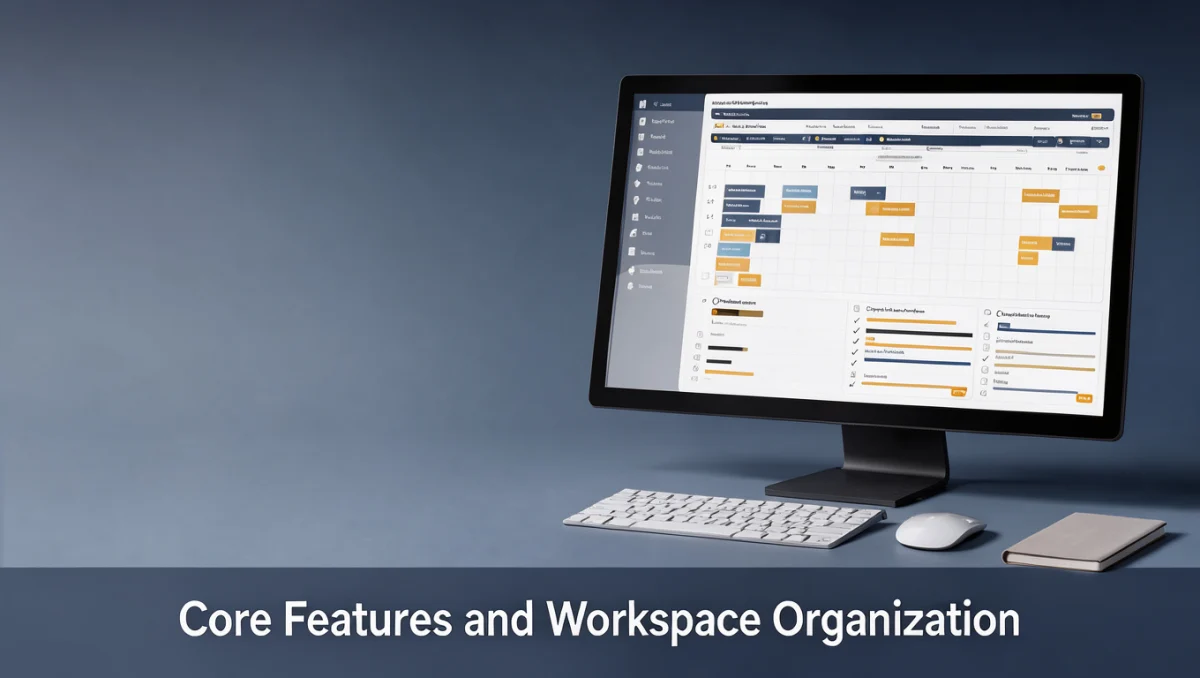
Productivity platforms centralize operational activity so contributors spend less time hunting for project assets. ClickUp organizes work around several functional pillars that define modern project management systems.
Task Management and Execution
Task tracking is the foundation of the software. Users assign responsibilities, set due dates, establish priorities, and add contextual subtasks. Team members can link dependent deliverables so sequential work proceeds in order. Status tracking lets managers monitor progress across multiple stages without repeated alignment meetings.
Flexible Workspace Views
Different departments need different perspectives on the same project data. The platform offers standard list layouts for operational checklists, visual boards for agile workflows, timeline calendars for deadline tracking, and graphs for workflow dependencies. This multi-view structure lets individual contributors pick the view they prefer without changing the project for colleagues.
Embedded Documentation and Collaboration
Centralized documentation lets teams keep guidelines, standard operating procedures, and project briefs alongside execution tasks. Embedded documents support collaborative editing, real-time notes, and task creation directly from highlighted text. Keeping documentation connected to task lists reduces context switching and keeps instructions accessible during active work.
4. Ease of Use and Learning Curve
Platforms with high levels of customization inevitably need a deliberate onboarding process. ClickUp lets administrators configure custom fields, personalized task statuses, and tailored workspace permissions. This adaptability suits distinct industry workflows, but it also adds administrative complexity that smaller groups may find demanding.
New team members need to understand the hierarchy of spaces, folders, and lists before contributing effectively. Without internal governance and clear naming conventions, workspaces can accumulate duplicate fields and cluttered views. Organizations that succeed with the platform usually designate an internal workspace administrator to maintain structural discipline across department folders.
5. Pros and Cons
Evaluating any team collaboration software means balancing operational advantages against everyday trade-offs. The points below summarize structural strengths alongside practical limitations.
Platform Advantages
- Extensive customizability across views, statuses, and operational fields
- Native document creation tightly integrated with action items
- Flexible workspace hierarchy that accommodates both small teams and larger departments
- Centralized oversight across multiple ongoing operational initiatives
Operational Considerations
- Steeper onboarding curve than minimalist task list applications
- Configuration maintenance required to prevent workspace clutter
- Extensive feature sets may exceed the needs of solo operators
6. ClickUp vs Similar Tools
Understanding the alternatives helps buyers place the software within the wider project management market. Direct competitors target different team priorities and working styles.
| Platform | Target Audience | Structural Focus | Consideration Factor |
|---|---|---|---|
| ClickUp | Cross-functional teams | Highly customizable workspace hierarchy | Requires disciplined internal administration |
| Asana | Structured enterprise teams | Standardized workflow and project coordination | Favors established team structures |
| Monday.com | Visual workflow planners | Color-coded visual table management | Prioritizes board-driven visual tracking |
| Trello | Lightweight agile groups | Minimalist card-based kanban boards | Limited native document hierarchy |
Asana focuses on clear organizational workflows and cross-departmental accountability, which makes it popular with teams that already have established project management frameworks. Monday.com emphasizes visual status boards and tabular project overviews aimed at teams moving away from spreadsheets. Trello keeps things simple with kanban cards built for quick setup and fast task movement. ClickUp positions itself as an all-in-one workspace that brings together features spread across these systems, which gives flexibility but requires deliberate setup.
7. Who Should Use ClickUp
Choosing software means matching organizational habits to platform architecture. Different user segments get different value from the system.
Freelancers and Independent Professionals
Freelancers coordinating complex deliverables for several clients can use separate spaces to keep each client's projects isolated. However, independent operators who only need simple reminder checklists may find the structural overhead disproportionate to their needs.
Small Business Owners
Small business operators benefit from keeping operational documentation, client task tracking, and internal roadmaps in one place. A single tool reduces the need for separate subscriptions for notes, scheduling, and project tracking, provided the business commits time to initial workspace configuration.
Marketing and Creative Teams
Creative departments managing content calendars, campaign deadlines, and design asset reviews benefit from switching between calendar, board, and list views. Centralized project briefs keep creative assets linked directly to revision tasks and final delivery dates.
Corporate Departments
Departmental managers overseeing cross-functional initiatives can track milestone dependencies across teams. Detailed permission controls let external partners or contractors access specific project lists without seeing broader company initiatives.
Groups That Should Look at Alternatives
Teams that want zero setup configuration, or individuals who only need basic personal reminders, are better served by lightweight task managers. Organizations without the bandwidth to establish workspace rules often experience friction with highly configurable platforms.
8. How to Choose the Right Plan
Software vendors structure subscription tiers to match different stages of growth. To pick the right tier, buyers should compare their operational needs against vendor limits.
| What to check on official pricing pages | Why it matters for your budget |
|---|---|
| Workspace storage allocations | Prevents unexpected file attachment limits as projects grow |
| Custom field creation caps | Ensures teams can structure data without hitting plan limits |
| Advanced view accessibility | Confirms timeline and workload views are included in the chosen tier |
| Guest collaborator rules | Determines ongoing expenses when working with outside clients |
| Administrative security controls | Protects sensitive client data through granular access permissions |
Buyers should audit their actual user count and collaboration habits before upgrading. Choosing a plan based on current project requirements rather than anticipated future needs keeps software budgets predictable.
9. Frequently Asked Questions
How should buyers evaluate platform update announcements?
Evaluating software announcements means separating cosmetic interface changes from foundational improvements. Buyers should review the official changelog to see whether updates improve core stability, export flexibility, and day-to-day navigation. Testing changes in non-critical sandbox projects ensures that operational adjustments do not disrupt ongoing client deliverables.
What hidden costs should teams budget for?
Budgeting for work management software goes beyond the base monthly seat subscription. Teams should account for administrative configuration time, internal training hours, and possible consulting help during initial deployment. Organizations should also confirm whether guest permissions require paid seats when collaborating with external partners.
When is a simpler task management tool the better choice?
Simpler task apps are preferable when teams run straightforward, linear projects that need little cross-departmental coordination. If team members only need deadline reminders and checklist completion, an extensive project hierarchy adds unnecessary administrative friction that can lower adoption.
How can organizations prevent workspace clutter?
Preventing disorganization requires internal governance guidelines set before team onboarding begins. Designating a primary workspace administrator, creating standard list templates, and limiting custom field creation preserves structural clarity across all spaces.
10. Final Verdict
ClickUp provides a flexible, capable environment for organizations that want to unify task execution, scheduling perspectives, and internal documentation. It offers extensive configuration options that let diverse departments work within a shared structure. That flexibility, however, requires deliberate administration so that workflow complexity does not get in the way of daily productivity.
| Evaluation Criterion | Score /10 | Assessment Summary |
|---|---|---|
| Features | 8.5/10 | Broad functional coverage encompassing tasks, views, and integrated documentation |
| Ease of Use | 7.0/10 | Steep onboarding curve requiring internal governance to manage interface density |
| Pricing and Value | 7.5/10 | Buyers should verify seat minimums and feature allocations on the official site |
| Integrations | 7.5/10 | Confirm critical third-party connections directly on vendor documentation pages |
| Audience Fit | 8.5/10 | Well matched for teams needing customizable, multi-perspective project tracking |
| Support | 7.0/10 | Confirm available contact channels and response terms on official support pages |
| Competitive Position | 8.0/10 | Strong functional breadth against direct rivals like Asana and Monday.com |
Overall testedtruth score: 7.7/10
For independent software comparisons and objective evaluations, explore research published by Tested Truth to choose tools that match your operational needs. Readers seeking personalized recommendations or clarification on software selection criteria are invited to contact our team at https://testedtruth.com/contact/ or follow Tested Truth on LinkedIn at https://www.linkedin.com/company/testedtruth/.