Tested Truth may earn a commission when you buy through links on this page, at no extra cost to you. This does not affect our ratings.
Doors that open on time and guests who glide through without confusion depend on dependable admission software. For organizers running community meetups, charity dinners or trade shows, the right entry tool keeps queues short and headcounts accurate. Our team put the ticket tailor free check-in app through its paces to see whether its gate features suit everyday venue operations in 2026.
Choosing a door management system means weighing simplicity against hardware demands, connectivity limits and how quickly volunteers can learn it. Those planning promotion and ticket sales can also explore our Marketing guides. Below we walk through how the platform verifies attendees, what to confirm on official channels, and how it stacks up against other ticketing tools this year.
Quick verdict: Ticket Tailor scores 7.9/10 overall. It suits independent hosts and small organizations that want straightforward gate workflows without leasing dedicated hardware. It is a poor fit for large arenas needing proprietary turnstiles, radio-frequency wristband syncing or permanent box-office equipment.
| Metric | Summary Details |
|---|---|
| testedtruth score | 7.9/10 |
| Best for | Event coordinators who manage entry scanning and guest lists across several gate staff. |
| Not ideal for | Stadium-scale operations that depend on fixed turnstile hardware and elaborate permanent box-office setups. |
| Key strengths | Direct ticket issuing, flexible check-in management and simple administration for independent organizers. |
| What to check before buying | Official hardware requirements, offline scanning sync rules and multi-user login policies. |
1. How testedtruth Reviewed Ticket Tailor
This evaluation examines what Ticket Tailor is designed to do, who it serves and how it compares with similar products. We applied seven testedtruth criteria: features, ease of use, pricing and value, integrations, audience fit, support and competitive position. Plans, prices and limits change frequently, so we flag the details you should confirm on the official website before committing. This article was researched and drafted with the help of AI tools, then reviewed and edited by the testedtruth Editorial Team.
2. What is Ticket Tailor and who is it for
Ticket Tailor is an event ticketing and registration platform that lets producers sell passes, manage attendee lists and verify entry at physical or digital events. It is aimed at independent promoters, community groups, arts presenters and corporate planners who want to control their registration process without being locked into a closed marketplace.
Unlike registration directories that list competing events side by side, independent ticketing software keeps customer communication and branding in the organizer's hands. Hosts use this type of tool to sell admissions through their own website, send digital passes containing scannable codes and run entry queues from mobile devices. To see how admission scanning fits into the wider ticketing workflow, look at the ticket tailor free check-in app in context.
The platform mainly addresses event-day pressure. When hundreds of ticket holders arrive at once, entry staff need quick confirmation that a pass is valid, which prevents unauthorized entry and reduces congestion at the door. By offering an interface built for validation, the product links online sales with real-world gate operations.
3. Core features of Ticket Tailor
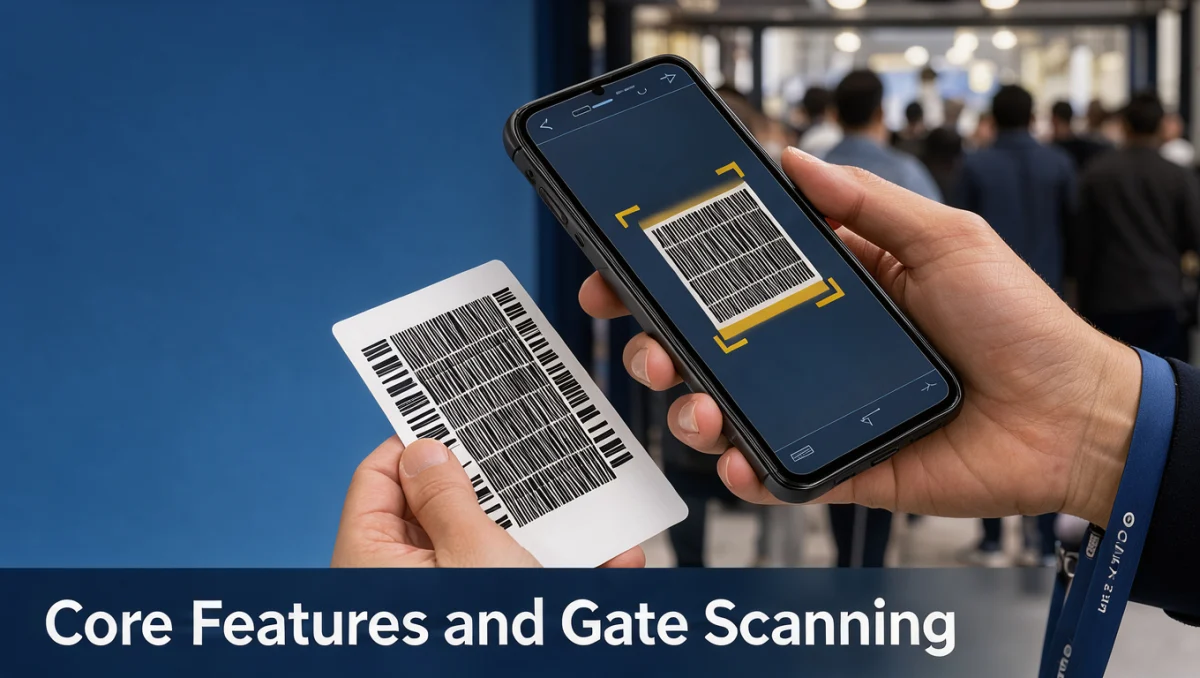
Understanding how ticketing systems operate helps managers decide whether a platform supports their gate procedures. The main functions cover pass generation, attendee search, entry validation and post-arrival reporting.
3.1. Ticket generation and barcode distribution
After a purchase or registration is complete, the software creates individual confirmations containing unique identifiers, alphanumeric strings or QR codes. These passes arrive in attendee inboxes or mobile wallets, ready to show at the gate. Administrators set up delivery templates, confirmation messages and attendee fields when building the event.
3.2. Door scanning and admission validation
Entry software uses device cameras to read barcodes on printed tickets or phone screens. The system checks each scanned code against the event database and marks it as used, which blocks duplicate entry attempts. If a screen is cracked or a guest forgets their pass, staff can search by attendee name or order reference and complete a manual check-in.
3.3. Multi-device check-in coordination
Events with several doors or queues run the gate app on multiple devices at once. When one device scans a ticket at the main entrance, the central record updates so that the same pass cannot be used at a side entrance moments later. Organizers planning multiple entry points should review the official technical documentation on network requirements and data sync delays.
3.4. Arrival tracking and attendance metrics
Gate tools record timestamps and entry counts, giving event directors live visibility into crowd flow. Managers can see what share of registered guests have arrived, spot peak arrival times and move gate workers to ushering or concession roles once the initial rush has passed.
4. Ease of use and learning curve
Door management tools need to be simple because seasonal staff and volunteers often run entrances with little prior training. A clear interface reduces scanning mistakes and keeps lines moving.
Scanning apps in this category typically rely on single-tap actions, high-contrast confirmation screens and distinct audio tones for successful scans or duplicate warnings. When staff point a camera at a pass, instant visual feedback lets them direct guests through the threshold without second-guessing the system.
On the back end, coordinators can build guest lists and issue access for door staff with little effort. Since volunteers do not need to learn accounting or registration modules, training usually takes only a few minutes before doors open. Check the official documentation to confirm how volunteer access is granted and restricted, so master account credentials are never shared.
5. Pros and cons
Every event management tool balances features against trade-offs. Weighing strengths against structural limits helps organizers choose software that fits their environment.
5.1. Key advantages
- Simple door operations built for fast guest throughput using standard device cameras.
- Direct ticket sales that embed in your own website instead of routing buyers through a third-party marketplace.
- Detailed attendee search so gate staff can find records manually when guests lose their confirmation.
- Simultaneous device operation that supports multi-door entry for medium and large gatherings.
5.2. Limitations to consider
- Scanning depends on the camera quality of the devices you supply, not on specialized laser scanners.
- Ongoing network dependence may affect real-time sync in underground venues or remote outdoor festival sites.
- Not built for stadium-grade turnstiles or automated optical barriers without custom enterprise work.
6. Ticket Tailor vs similar tools
The event ticketing sector includes several established platforms, each suited to different organizer priorities, event sizes and sales channels.
| Platform | Core Target Audience | Primary Focus | Consider If |
|---|---|---|---|
| Ticket Tailor | Independent event organizers and venues | Direct ticketing with control over attendee communication | You want full brand control and simple gate check-in tools. |
| Eventbrite | Organizers seeking public discovery channels | Consumer marketplace discovery combined with ticketing | Your sales depend on buyers browsing within an event portal. |
| Ticketmaster | Major sports arenas, concert halls and large tours | High-volume enterprise sales and reserved stadium seating | You run large commercial entertainment that needs enterprise ticketing infrastructure. |
| RSVPify | Corporate event managers and private party hosts | RSVP tracking, seating charts and invitation management | Your main need is invitation workflow rather than public ticket sales. |
Eventbrite combines ticketing with a consumer discovery marketplace. This can help organizers reach casual buyers who browse local events, but it also places competing events beside your listings. Ticket Tailor works as an independent ticketing engine, keeping buyers focused on your own brand.
Ticketmaster sits at the other end of the spectrum, serving enterprise venues, stadium tours and major sports franchises. Those settings require strict access control, contractually mandated turnstiles and very high server capacity for fast on-sales. Ticket Tailor is aimed instead at small and mid-sized venues, corporate hosts and independent promoters who do not need arena-level infrastructure.
7. Who should use Ticket Tailor
Checking whether your organization matches the platform's design priorities helps keep gate operations smooth without extra administrative work.
7.1. Independent promoters and festival organizers
Organizers running single-day or multi-day gatherings benefit from simple attendee scanning on standard mobile equipment. Promoters can place temporary staff at several entry tents without renting specialized scanners from an agency.
7.2. Nonprofit organizations and charity gala directors
Charities hosting fundraising dinners, auctions and community walks need affordable ticketing with predictable processing costs. Quick arrival verification at registration tables, without technical hurdles, suits volunteer-run check-in teams.
7.3. Small business workshop hosts and corporate trainers
Those running seminars, executive retreats and continuing-education classes need professional confirmation passes and clear attendance rosters. Gate scanning produces verifiable attendance records for certifications and internal compliance.
7.4. When another solution makes more sense
Organizers holding events in remote areas without cellular data or reliable local networks should carefully test how offline scanning works across multiple devices. Convention centers that require integrated physical turnstiles, badge printing and radio-frequency tracking should look at enterprise access hardware providers instead.
8. How to choose the right plan

Ticketing platforms structure fees and plan access in different ways. When comparing options, buyers should look at event frequency, expected attendance and operational needs to find an economical fit.
| What to check | Why it matters |
|---|---|
| Pricing model structure | Providers charge per-ticket processing fees, sell prepaid ticket packages or offer recurring subscriptions. Pick the model that matches whether your sales are year-round or concentrated in short bursts. |
| Door staff user permissions | Confirm whether gate attendant logins count toward account seat limits or whether temporary scanning access can be added without extra charges. |
| Offline scanning mode support | Verify how attendee lists sync when connectivity is unstable, so duplicate entries are blocked once the connection returns. |
| Barcode format compatibility | Check which barcode formats and digital wallet passes the door app accepts to keep guest processing smooth. |
| Refund and cancellation policies | Review how ticket fees are handled if an event is rescheduled, cancelled or refunded. |
To avoid surprise costs, check the official Ticket Tailor pricing page to see whether current terms use pay-as-you-go transaction fees or flat-rate tiers. Estimating your total attendance across all 2026 dates will help you model the full cost accurately.
9. Frequently asked questions
9.1. What hardware is needed to run entrance check-in scanning?
Gate scanning for mobile ticketing usually runs on standard smartphones or tablets with autofocus cameras. Teams install the scanning app and point the camera at barcodes on paper passes or phone screens. Before event day, confirm the official operating system requirements and minimum camera specifications to make sure your devices are compatible.
9.2. What network conditions are needed for multiple gates to sync arrival data?
Syncing attendance across several entrances requires an active internet connection, either through venue Wi-Fi or cellular data. When devices stay online, a pass scanned at Gate A updates the central database immediately, so Gate B sees that ticket as already used. In areas with poor reception, check how the vendor handles offline list caching and synchronization after the event.
9.3. What steps ensure gate volunteers operate scanning equipment correctly?
Coordinators should prepare a short briefing on how to frame codes in the camera view, how to read green or red confirmations and how to look up names manually for damaged passes. Testing sample printed and mobile passes before doors open helps volunteers get comfortable with the pace. Assigning an experienced supervisor to resolve disputes keeps the main line moving.
9.4. What information should organizers review regarding attendee data privacy at check-in?
Organizers should review how contact details and entry records are handled during gate verification. Check the official Ticket Tailor privacy guidelines to see whether temporary gate staff can view sensitive buyer information such as payment details, or whether access is limited to names and ticket status. Limiting the data staff can see protects attendee trust and supports privacy compliance.
10. Final verdict on Ticket Tailor
Ticket Tailor offers focused, dependable ticketing for independent producers, arts venues and community groups. By separating registration from competing event marketplaces, it gives organizers ownership of their customer relationships along with reliable gate scanning tools.
| Criterion | Score /10 | Reason |
|---|---|---|
| Features | 8.0/10 | Covers core ticket generation, barcode distribution, mobile validation and attendance tracking well. |
| Ease of Use | 8.5/10 | Simple admin dashboard and straightforward mobile scanning, with quick staff onboarding. |
| Pricing and Value | 7.5/10 | Competitive structure for independent organizers; confirm current fee schedules on the official site. |
| Integrations | 7.0/10 | Connects with essential web publishing tools; verify specific marketing and CRM links on official listings. |
| Audience Fit | 8.5/10 | Well matched to independent event creators, charities and boutique venues that need direct box-office tools. |
| Support | 7.5/10 | Provides standard digital support channels; confirm support hours for weekend events. |
| Competitive Position | 8.0/10 | A strong independent alternative to closed consumer marketplaces and complex enterprise contracts. |
Overall score: 7.9/10
For independent organizers who want direct control of their registration and a hassle-free gate scanning process, Ticket Tailor is a solid, reliable choice for 2026. Confirm your connectivity setup and check current pricing on the official website before going live. For more software evaluations and buyer resources, visit Tested Truth to make informed operational decisions.
Readers with specific operational questions are welcome to contact our editorial team at https://testedtruth.com/contact/ or follow testedtruth on LinkedIn at https://www.linkedin.com/company/testedtruth/.