Tested Truth may earn a commission when you buy through links on this page, at no extra cost to you. This does not affect our ratings.
Choosing between two sales platforms often comes down to how each one handles deal stages, contact records, and the daily communication your team depends on. Here we look at how monday CRM vs HubSpot stack up, so you can match a tool to the way your sales operation actually runs.
A CRM acts as the central record of buyer interactions, deal progress, and follow-up tasks. The real question is how deal records connect to internal handoffs, pipeline views, and everyday team communication.
Quick verdict: monday CRM earns an overall score of 7.7 out of 10. It suits teams that want flexible, board-style management alongside deal stages, while HubSpot suits teams that want a contact structure built around marketing. Organizations with rigid internal processes may need ongoing configuration work on either platform.
| Metric | Evaluation |
|---|---|
| Tested Truth score | 7.7 / 10 |
| Best for | Sales departments balancing deal management with cross-functional task tracking |
| Not ideal for | Solo operators who only need a basic offline customer log |
| Key strengths | Contact tracking, sales pipeline stages, task delegation, team collaboration |
| What to check before buying | Official plan comparison pages for seat minimums and contact tier limits |
1. How Tested Truth Reviewed Monday CRM vs HubSpot
This review covers what each platform is built to do, who it serves, and how it compares with similar tools. We assessed both against seven criteria: features, ease of use, pricing and value, integrations, audience fit, support, and competitive position. Plans, prices, and limits change often, so we flag what to confirm on the official websites before buying. This article was researched and drafted with the help of AI tools, then reviewed and edited by the Tested Truth Editorial Team.
2. Short Answer: Which CRM Fits Your Workflow?
The choice between monday CRM and HubSpot depends on whether your sales operation needs flexible board structures or centralized contact histories. Organizations that pair deal progression with day-to-day task coordination tend to find monday CRM adaptable for execution. Businesses focused on inbound lead generation, marketing interaction history, and structured contact properties often lean toward HubSpot.
Within the broader Collaboration & Productivity space, team adoption tends to depend more on workflow simplicity than on the sheer number of features. Both platforms solve core client-tracking problems, but their internal designs emphasize different parts of team activity and lead management.
3. Monday CRM vs HubSpot: At a Glance
| Platform | Best for | Core Strength | Consider If |
|---|---|---|---|
| monday CRM | Teams aligning deal tracking with delivery operations | Customizable visual boards and task management | Your organization values visual column layouts and task accountability across team members |
| HubSpot | Teams aligning marketing lead generation with pipeline closing | Structured contact management and activity logging | Your sales process relies heavily on tracking inbound website interactions and email history |
4. Features and Core Capabilities
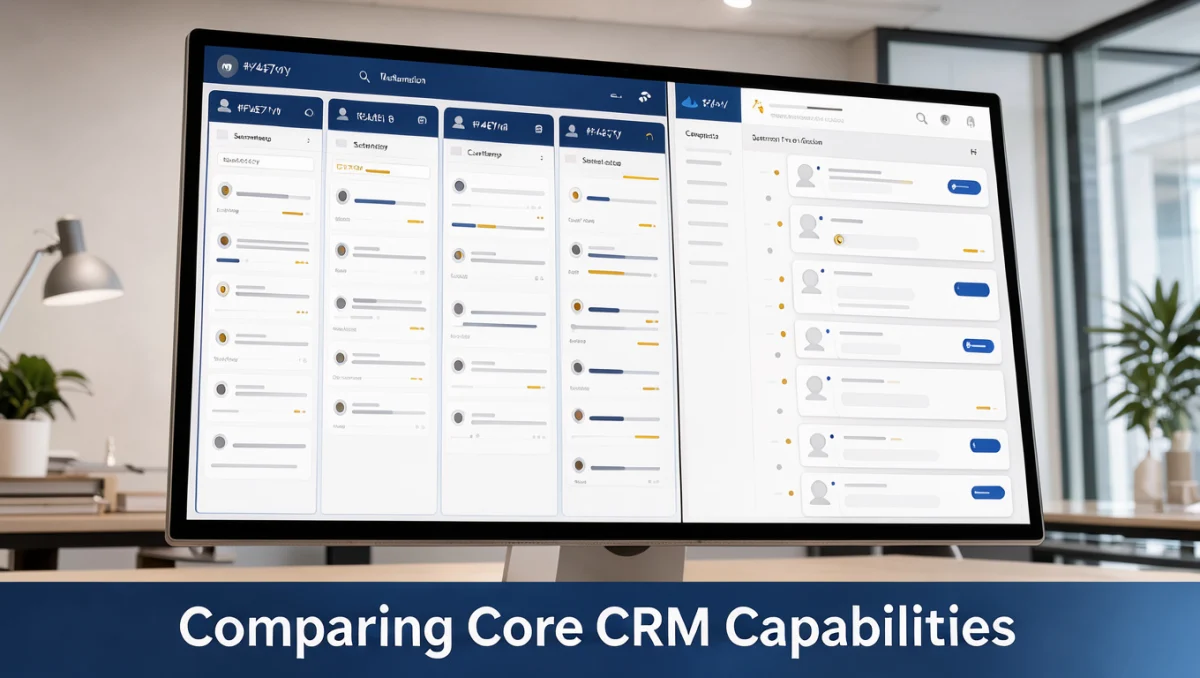
monday CRM is built around flexible board views. Sales reps can adjust columns, track stages, and manage post-sale delivery tasks on shared visual boards. Users configure columns for lead status, deal size, account owner, and expected close date, which makes it straightforward to restructure stages when strategy changes.
HubSpot organizes its capabilities around individual contact and company records, linking each deal to a full interaction timeline. Activity logging captures emails, meetings, and notes in one chronological record, giving clear context for accounts that engage with several team members over a long buying cycle.
Before deciding, check the official monday CRM and HubSpot feature documentation to confirm how deal automations, custom fields, and email tracking behave across each product tier.
5. Ease of Use and Team Onboarding

Ease of use depends on how your staff approaches administrative work. monday CRM uses a spreadsheet-inspired interface with color-coded status blocks, which makes pipeline oversight visually intuitive for people familiar with project tracking. Creating views, filtering deals, and assigning tasks requires little orientation.
HubSpot provides a structured layout where navigation moves between contacts, companies, deals, and service tickets through sidebars and tabbed menus. Reps used to standard database layouts adapt quickly, though a large menu structure can slow onboarding if the team does not agree on data-entry conventions early.
Onboarding success depends more on data cleanliness and field standardization than on how the interface looks. Teams should set standard operating procedures for field definitions and note-taking before migrating contact records into either system.
6. Pricing and Value Considerations
Subscription pricing typically separates base seat costs from specialized admin access, advanced automation limits, and contact storage thresholds. Both monday CRM and HubSpot use tiered plans, where costs rise as user counts, contact volumes, or feature needs grow.
Prospective buyers should review the official pricing pages for both platforms to confirm seat minimums, billing frequency, and contact tier thresholds. Reading the contract terms carefully avoids surprise costs when scaling a sales team or cleaning out dormant marketing lists.
7. Integrations and Ecosystem Flexibility
Integration capability determines how smoothly a CRM exchanges customer data with accounting packages, scheduling tools, and communication platforms. Modern vendors maintain developer portals and connectors that reduce manual import work.
Confirm integration availability directly in the official monday CRM and HubSpot app directories before committing. Checking whether your telephone provider, billing system, and support tool connect natively helps you avoid manual data-entry bottlenecks later.
8. Audience and Team Fit
monday CRM appeals strongly to small and mid-sized businesses, agencies, and operational teams where account managers handle both the close and the project delivery that follows. Moving deals directly into fulfillment boards keeps sales and service teams aligned.
HubSpot serves organizations where a marketing team feeds prospect lists to sales development representatives, who then pass qualified opportunities to closing reps. Its structure supports multi-department prospect tracking across a long sales pipeline.
9. Support and Assistance Options
Vendors offer different levels of onboarding help, self-service knowledge bases, community forums, and support ticket systems depending on the plan. Responsive support matters most during pipeline migration, field mapping, and user setup.
Review the official support documentation for both monday CRM and HubSpot to see which channels and hours apply to each plan. Knowing what help is available makes it easier to plan admin coverage during rollout.
10. Competitive Position in the CRM Market
In the wider CRM market, monday CRM positions itself as an adaptable work management environment for pipeline tracking, competing alongside tools such as ClickUp and Notion. Its visual approach appeals to teams that want low administrative friction and high structural flexibility.
HubSpot positions itself as a centralized revenue platform, competing directly with Salesforce and Zoho CRM. It emphasizes unified contact timelines, structured pipeline stages, and coordination across marketing, sales, and service.
11. How to Decide Between monday CRM and HubSpot
Making the final call requires an honest look at your team's workflow, how much your departments overlap, and the technology you already use. Use this framework to pick the right platform:
- Choose monday CRM if your sales pipeline needs custom visual columns and connects directly to the project delivery tasks handled by operations teams.
- Choose HubSpot if your business prioritizes detailed contact activity histories, marketing lead tracking, and standardized sales interaction timelines.
- Confirm current seat minimums, automation run limits, and contact tier costs on the official websites before signing a subscription agreement.
- Have your sales reps test core pipeline data entry to see which interface they prefer and how comfortable they are logging activity daily.
12. Frequently Asked Questions
Which operational factors determine whether an upgrade to a higher CRM tier is necessary?
Organizations usually consider a higher tier when team growth exceeds the included seat count, when advanced custom reporting becomes necessary for executive planning, or when automation limits start blocking day-to-day work. Reviewing usage analytics in your software settings helps show when growth justifies a higher service level.
What additional expenses should a sales team budget for beyond base user subscriptions?
Buyers should plan for data migration services, external integration connectors, dedicated call-tracking software, and staff training time on top of base licenses. Many platforms also scale pricing with total marketing contact volume or email sending allowances, so ongoing database hygiene is a real budget factor.
How should a growing business assess CRM learning curves before rolling out new software?
Map out common daily tasks such as logging calls, creating deal stages, and assigning follow-ups, and count how many steps each takes. Running short internal demonstrations with a small group of reps reveals friction points before a company-wide rollout.
Where should prospective buyers look to verify data import requirements before switching tools?
Consult the official technical support guides and admin documentation from both platforms to confirm supported spreadsheet formats and field-mapping rules. Reviewing these setup guidelines ahead of time helps ensure contact records, notes, and deal histories transfer cleanly.
13. Final Verdict
| Criterion | Score /10 | Reason |
|---|---|---|
| Features | 8.0 / 10 | Provides functional pipeline tracking, contact fields, and activity logging suitable for team sales workflows. |
| Ease of Use | 8.5 / 10 | Both interfaces provide structured deal visualization that sales reps can navigate with basic orientation. |
| Pricing and Value | 7.5 / 10 | Subscription tiers scale with user counts and operational requirements, requiring careful confirmation on official pricing pages. |
| Integrations | 7.0 / 10 | Ecosystem flexibility depends on external software compatibility, which teams must verify against official app directories. |
| Audience Fit | 8.0 / 10 | Clear division between project-centric sales delivery teams and marketing-driven inbound sales organizations. |
| Support | 7.0 / 10 | Assistance options vary by plan level, making it important to review available help channels on official support pages. |
| Competitive Position | 8.0 / 10 | Both platforms maintain distinctive, established approaches to pipeline management and team coordination. |
| Overall Score | 7.7 / 10 | Balanced rating reflecting reliable pipeline management, collaborative flexibility, and scalable administrative utility. |
For organizations that tie deal tracking to post-sale delivery, monday CRM offers the structural flexibility needed for shared team accountability. For companies centered on prospect interaction timelines and inbound marketing, HubSpot provides structured contact oversight. Send your sales software questions to our team through Tested Truth, or follow us on LinkedIn at https://www.linkedin.com/company/testedtruth/.