Affiliate notice: We may receive compensation if you make a purchase via links throughout this article, without increasing your price. Our objective analysis remains entirely unaffected by these partnerships.
Choosing the ideal growth stack demands a clear look into software functionality and internal team skills. In this activecampaign review, we explore whether this customer journey suite fits your everyday operations or introduces unneeded complexity. The specialists at Tested Truth assess technical software to ensure your investments match actual organizational capabilities.
A modern business must balance sophisticated communication tools against administrative bandwidth. Investing in advanced workflow design pays off only when your staff can comfortably maintain its underlying logic without creating ongoing bottlenecks.
Summary Takeaway: With a cumulative rating of 7.9 out of 10, ActiveCampaign stands out for expanding operations, creative agencies, and dynamic marketing squads needing branching visual journeys and integrated lead pipelines. Solo creators searching for bare-bones newsletter blasting will likely find it excessively complex.
| Evaluation Metric | Key Highlights |
|---|---|
| Overall Rating | 7.9 / 10 |
| Optimal Audience | Growing companies requiring dynamic customer paths and linked deal funnels |
| Less Suited For | Casual publishers needing simple email broadcasts without initial configuration |
| Top Strengths | Intuitive visual canvas, adaptive segment rules, and centralized lead profiles |
| Pre-Purchase Verification | Confirm list size brackets, user access counts, and contract terms directly on their site |
Our Assessment Framework and Testing Criteria
Our practical evaluation examines how the software functions, who benefits most, and its competitive standing across seven benchmark criteria: functional depth, user navigation, cost efficiency, software ecosystem, target fit, customer assistance, and market standing. Because tier inclusions and subscription caps change over time, we encourage buyers to verify details with the provider directly before committing. Our research team combines structured automated data collection with hands-on editorial vetting.
Understanding the Platform and Its Intended Users
ActiveCampaign unifies visual campaign triggers, scheduled broadcast messaging, and an integrated CRM inside a single command center. It resolves the common operational friction of handling sales pipelines in one app while managing subscriber interactions elsewhere.
Adopting this technology allows teams to dismantle data silos across their digital properties. Rather than juggling separate software licenses for subscriber databases and outreach initiatives, departments can coordinate buyer experiences from the initial touchpoint through long-term loyalty initiatives.
Primary Beneficiaries and Practical Environments
Mid-sized enterprises, boutique consulting firms, and agencies handling intricate client pathways gain tremendous efficiency from this setup. Operations that trigger outreach using on-site behavior—such as visited URLs, form interactions, and transaction records—will leverage its conditional engine effectively.
On the other hand, brands that only need occasional broad-scale updates will encounter a steep setup requirement. Simple newsletter apps offer far better return on effort if advanced behavioral nurturing is absent from your roadmap.
Key Functionality and Workflow Execution

Analyzing a specialized customer experience engine involves looking under the hood at its visual builders, dynamic content personalization, subscriber categorization, and deal tracking mechanisms.
Visual Customer Journey Builder
The interactive workflow editor enables users to plot out responsive message tracks driven by customer behavior. System administrators configure designated launch criteria—including clicked links, changed custom values, or updated tags—before mapping out automated response branches.
Paths can be calibrated with operational pauses, split testing forks, and specific conditional rules to guide recipients down distinct messaging funnels. This automated routing reduces manual administrative work while keeping leads moving toward the right sales stages.
Dynamic Segmentation and Contact Tagging
Sophisticated audience grouping functions reorganize recipient clusters instantly based on live engagement, location variables, and historical purchases. Operators can stack multiple conditions together to produce granular micro-segments with surgical precision.
Automated tag assignment monitors consumer intent and product interest as journeys unfold. This dynamic architecture lets marketers deliver highly contextual communications without manually slicing up contact spreadsheets before every dispatch.
Newsletter Composition and Deliverability Monitoring
The content composer blends drag-and-drop structural elements with adaptive layout modules that switch copy or visuals based on recipient data. Because of this, a unified broadcast can display personalized content tailored to different subscriber groups simultaneously.
Built-in deliverability monitoring tracks bounce behaviors, keeps unsubscribe requests organized, and assists with spam compliance checks. These protective measures help safeguard domain standing across sizable dispatch routines.
Centralized Contact Records and Pipeline Boards
The native contact registry compiles full interaction chronologies, website events, and engagement ratings inside unified buyer profiles. Sales teams monitor active negotiations across visual stage columns, automating deal progression as milestones are reached.
Connecting promotional touchpoints directly to sales pipelines gives frontline representatives immediate visibility into previous brand interactions. Automatic task assignment alerts account managers right when warm prospects re-engage with your content.
Usability, Interface, and Learning Requirements
Evaluating usability involves balancing immense functional flexibility against daily interface complexity. While standard navigation is clean, mastering multi-stage conditional routing takes focused onboarding and deliberate preparation.
New administrators frequently hit roadblocks when first organizing complex journey logic, configuring data fields, and establishing contact taxonomies. Developing disciplined naming conventions from day one prevents confusing tag proliferation as your subscriber database multiplies.
Carefully mapping out customer journeys before building triggers prevents disjointed sequences and disorganized tag directories that hurt the subscriber experience.
Organizations should plan for a methodical onboarding runway. Mapping out communication flows on paper or digital whiteboards before setting up system rules produces far smoother results than impromptu configuration.
Platform Strengths and Operational Trade-Offs
Weighing technical merits against potential roadblocks allows teams to set achievable expectations before signing a contract.
Core Benefits
- Visual journey canvas excels at advanced conditional routing and behavior-based initiation.
- Combines outgoing email tools and deal pipeline boards under one cohesive interface.
- Fine-grained categorization filters support highly contextual audience communication.
- Flexible settings accommodate varied industry frameworks and distinct operational paths.
Operational Realities to Consider
- Initial training demands can hinder quick adoption for teams without technical backgrounds.
- Dense configuration dashboards require standard operating protocols to navigate effectively.
- Ongoing governance is essential to avoid conflicting journey triggers and redundant tags.
- Available capabilities vary by package, making it vital to inspect features on vendor pricing tiers.
Comparing ActiveCampaign to Leading Alternatives
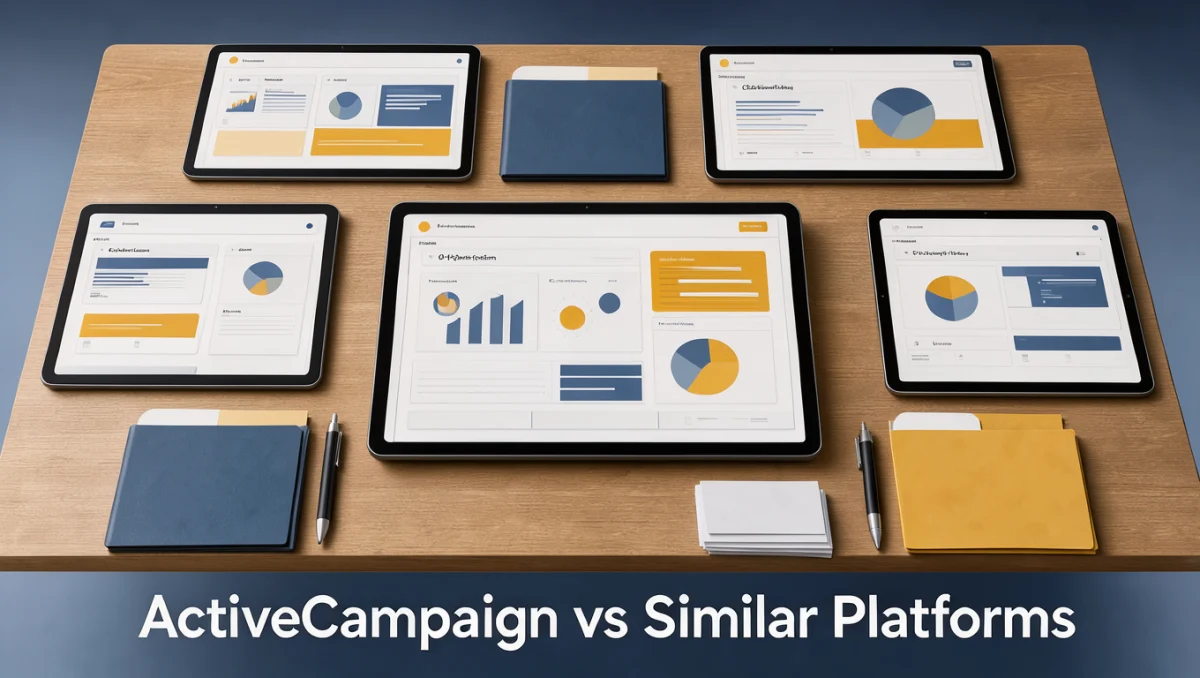
Examining how this software stacks up against alternative platforms helps clarify whether it fits your operational appetite. Those investigating modern Marketing software options should compare functional priorities carefully.
| Tool | Primary Position | Main Operational Focus | Crucial Consideration |
|---|---|---|---|
| ActiveCampaign | Customer experience automation engine | Advanced journey logic and integrated deal funnels | Demands dedicated initial setup time |
| Mailchimp | General audience communication suite | Simplified email creation and bulk distribution | Built primarily around entry-level simplicity |
| HubSpot | Comprehensive inbound ecosystem | End-to-end organizational marketing and CRM tracking | Broad structural footprint across business units |
| Klaviyo | E-commerce focused communication platform | Event-triggered sequences for digital shops | Optimized specifically for shopping cart platforms |
| Brevo | Multichannel transactional toolkit | System notifications alongside core outreach | Effective for straightforward multichannel needs |
While Mailchimp prioritizes fast campaign launches for simple broadcasting, HubSpot delivers vast, enterprise-wide governance spanning every commercial department.
ActiveCampaign captures the middle territory by offering deep visual branching without forcing organizations into bloated software suites. Buyers need to determine whether their core requirement is basic message blasting, digital storefront data integration, or cross-departmental lead nurturing.
Ideal User Scenarios and Mismatches
Practical fit depends on the size of your organization, the technical skill of your team, and your broader strategy.
Independent Consultants and Freelancers
Solo professionals managing high-value advisory services can leverage automated workflows to qualify leads without manual email back-and-forth. However, standard service providers with simple, compact contact lists might find setup demands disproportionate to their returns.
Small Business Operators
Firms with established services or product catalogs gain significant efficiency by tying customer inquiries straight into automated deal tracking. Automating early discovery messages saves hours of repetitive back-and-forth while keeping prospects engaged.
Agencies and Professional Marketers
Marketing teams and boutique creative agencies extract the absolute most out of these automation capabilities. Practitioners can architect personalized lifecycle funnels, monitor behavioral cues, and show verifiable lead qualification across distinct accounts.
Corporate Operations
Administrative and operational divisions in large companies can deploy workflows to manage incoming requests or registrations. However, companies bound by complex internal data security rules must confirm cloud-based architectures fit their compliance protocols.
Students and Casual Users
Hobbyists and learners exploring modern communication tools will likely find enterprise automation platforms unnecessarily complicated. Basic email dispatch services or free introductory plans provide much friendlier starting points.
When to Explore Other Options
Casual content creators, teams with zero administrative capacity, and organizations that merely require basic transactional emails should look elsewhere. Basic outreach tools will deliver faster results without the overhead of maintaining an advanced workflow system.
Selecting the Optimal Subscription Tier
Most subscription structures scale based on list size, included administrative seats, and specific advanced features. Reviewing tier specifics prevents budget surprises as your audience grows.
| Pricing Factor to Review | Operational Importance |
|---|---|
| Subscriber limits | Tier thresholds define baseline costs as your contact records scale upward |
| Included user seats | Expanding your administrative team may trigger plan upgrades or per-seat add-ons |
| Workflow and logic features | Certain conditional actions or advanced pipeline tools are gated behind higher plans |
| Activity record history | Event logs and interaction records may have restricted storage windows on lower plans |
| Support channels | Direct troubleshooting methods differ between entry-level and advanced packages |
Before initiating a migration, audit your subscriber list to eliminate duplicate or disengaged entries. Always verify that the specific tools your team relies on day-to-day are included in your target plan tier.
Frequently Asked Questions
What steps should be taken to clean data before moving platforms?
Audit current contact files, scrub invalid or unresponsive emails, and compile a clear guide of existing tag names. Mapping your data carefully ensures past records migrate smoothly into custom properties without creating duplicate entries.
What additional expenses might affect overall software costs?
Overall investments depend heavily on contact thresholds, necessary team seats, and connected third-party add-ons. Estimating your subscriber growth across an upcoming 12-month timeframe ensures accurate software budgeting.
How long does system onboarding usually take?
Timelines depend on existing database organization and the depth of planned workflows. Basic campaigns can go live in a few days, while comprehensive branching logic and CRM integrations generally require several weeks of focused setup and testing.
What practices keep automated sequences from conflicting?
Using disciplined naming rules for tags and sequences prevents unintentional trigger overlaps. Conducting quarterly reviews of live journeys ensures retired promotions are turned off before confusing your audience.
When is it appropriate to upgrade your subscription?
Upgrading makes sense when your contact volume passes account limits or when internal workflows demand deeper administrative permissions and analytics. Reviewing usage trends each quarter helps managers identify when tier adjustments are operationally justified.
Final Summary and Rating
ActiveCampaign provides a capable customer experience framework for teams that consider automated communication central to revenue growth. Even though it requires deliberate onboarding and ongoing system hygiene, its ability to integrate behavioral workflows with deal tracking makes it an excellent choice for scaling teams.
| Assessment Category | Score (out of 10) | Evaluation Notes |
|---|---|---|
| Features | 8.5 / 10 | Flexible visual builder, dynamic tagging, and integrated deal funnels provide extensive operational utility. |
| Ease of Use | 7.0 / 10 | Feature richness creates a noticeable learning curve that requires structured training for new administrators. |
| Value & Pricing | 7.5 / 10 | Tiers adjust by database size, making it essential to verify required features against the official pricing tiers. |
| Integrations | 8.0 / 10 | Expansive app directory ensures reliable data sync across web platforms, payment providers, and forms. |
| Audience Alignment | 8.5 / 10 | Superb fit for expanding businesses, digital agencies, and marketing units tracking intricate journeys. |
| Support Resources | 7.5 / 10 | Help documentation and standard assistance provide solid coverage, though channels vary by tier. |
| Market Standing | 8.0 / 10 | Maintains a distinct market niche by delivering deeper automation logic than entry-level tools without enterprise overhead. |
Overall Score: 7.9 / 10
For businesses positioned to implement multi-step communication flows, this platform represents a robust, future-ready choice. If your team only needs basic monthly broadcasts, lightweight alternatives will serve you better without the cost of unused automation tools.